


Purchase and renewal
 2026-01-08T10:50:38+08:00
Purchase and renewal
Buy a new device and find out how to renew your device
Buy equipment
On the console page, click [Buy Cloud Phone].
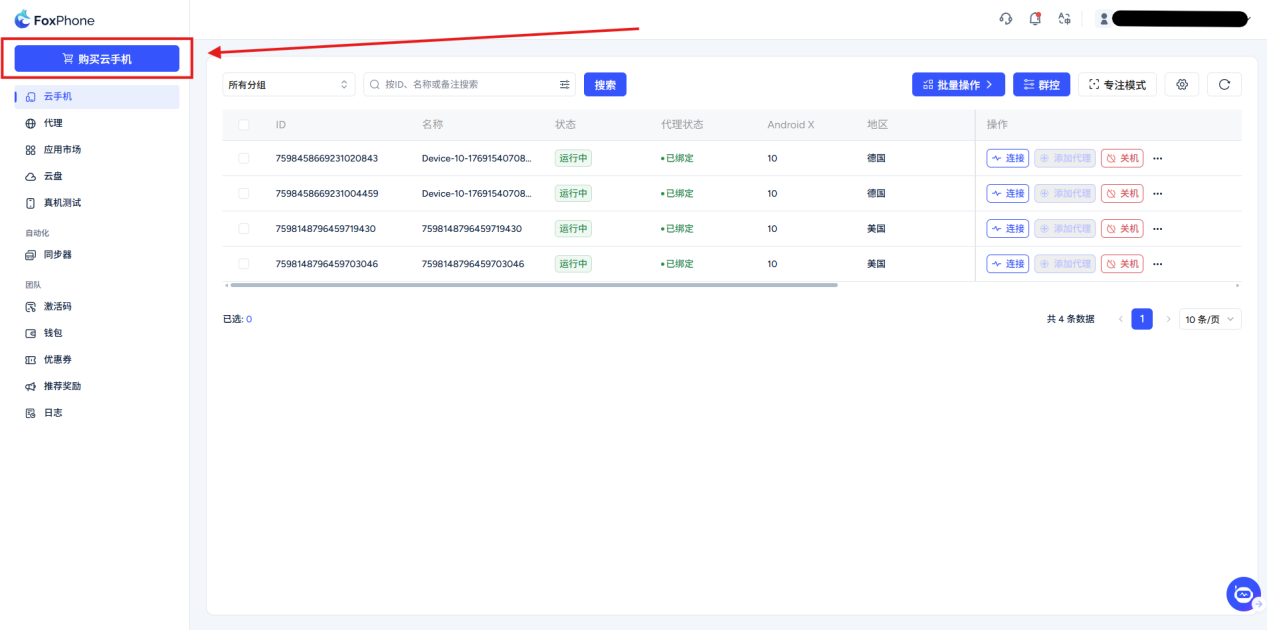
Select package configuration:
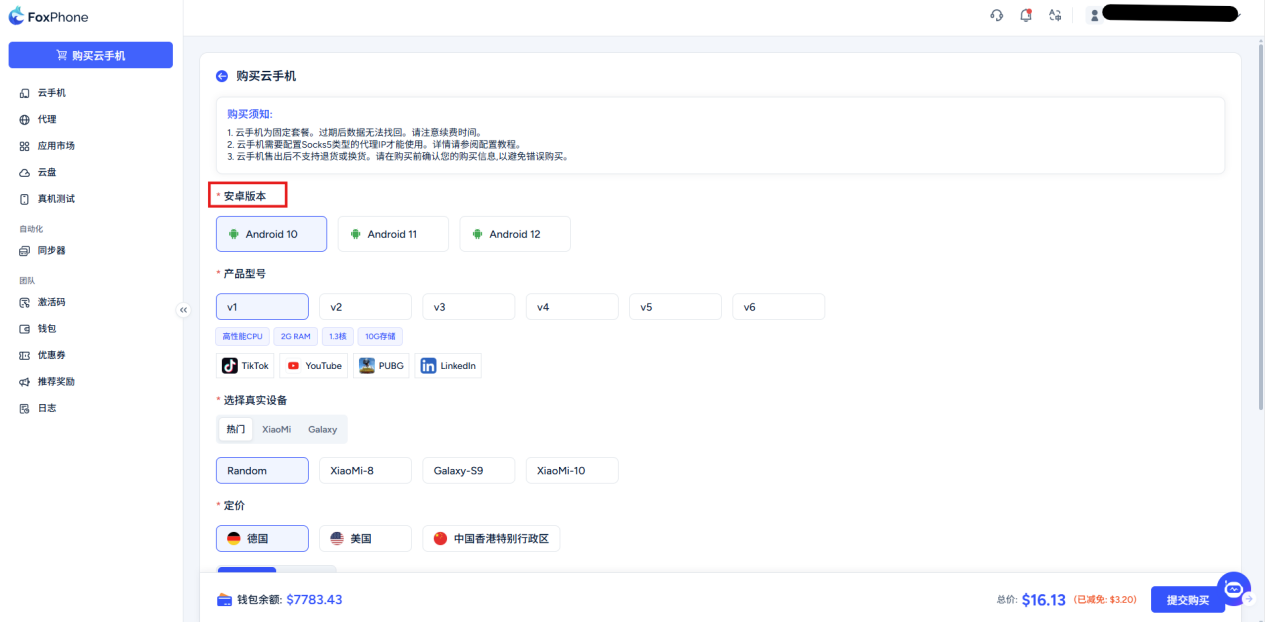
Choose Android version: Support Android 10/11/12 Wait for version selection.
Each Android version has the following core differences in terms of compatibility and stability:
Android 10: The current "evergreen tree" in the cloud mobile phone market, with the most stable compatibility.
Most mainstream mobile games (such as "Genshin Impact" and "Glory of Kings") and scripting tools have been tuned on this version for many years. If you want to hang up old games or use some old auxiliary software, Android 10 is preferred. But for some new apps launched after 2024 that require extremely high API levels There may be an incompatibility message.
Android 11: Mainstream balance point. Compared with 10, it strengthens memory management and read and write permissions (Scoped Storage). The crash rate is lower when running large games on cloud phones.
Android 12: high performance/first choice for new games. Introducing a new GPU Rendering optimization. For some recently released 3D masterpieces, Android 12 Can provide smoother frame rate performance.
Select product model:
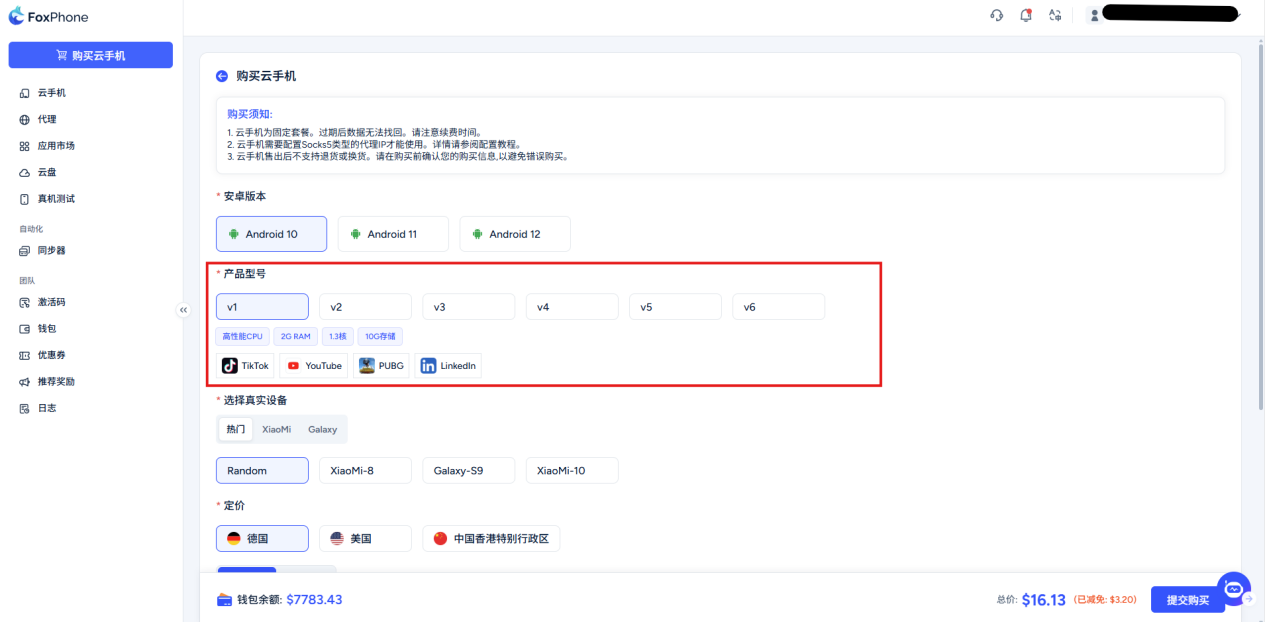
V1 (high-performance CPU, 2G running memory, 1.3 cores, 10G storage space)
V2 (high-performance CPU, 2.4G running memory, 1.6 cores, 12G storage space)
V3 (high-performance CPU, 3G running memory, 2 cores, 15G storage space)
V4 (high-performance CPU, 4G running memory, 3 cores, 20G storage space)
V5 (high-performance CPU, 6G running memory, 4 cores, 25G storage space)
V6 (high-performance CPU, 12G running memory, 8 cores, 30G storage space)
Choose the real machine brand:
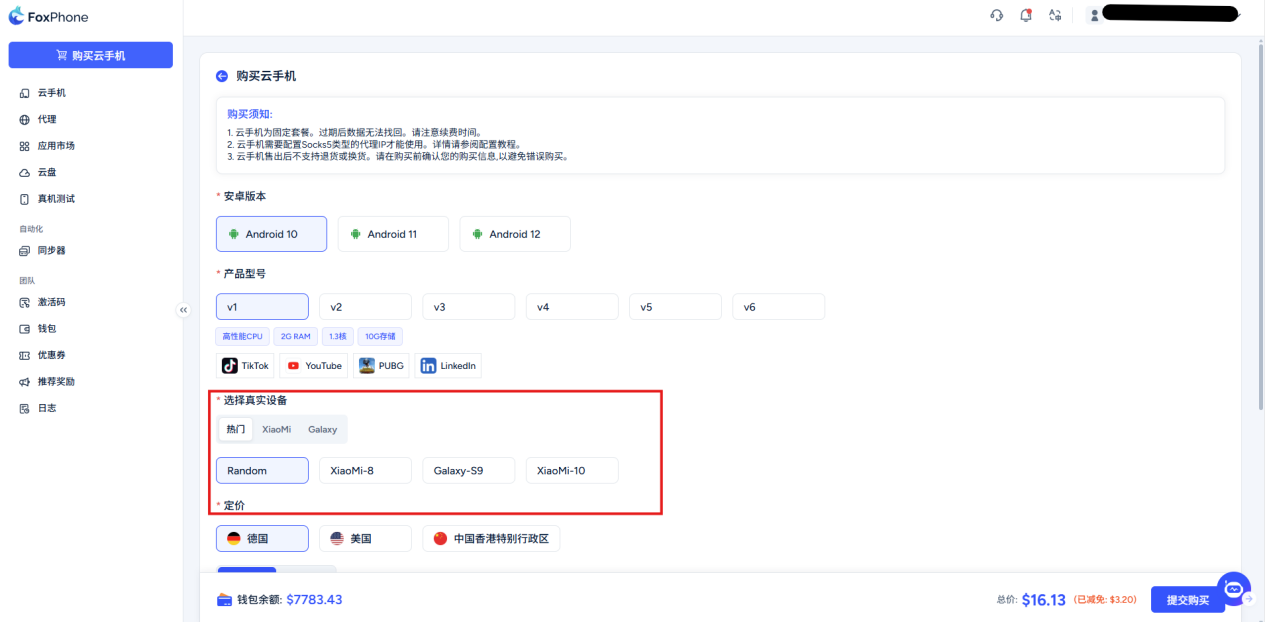
Choose a fixed IP address:
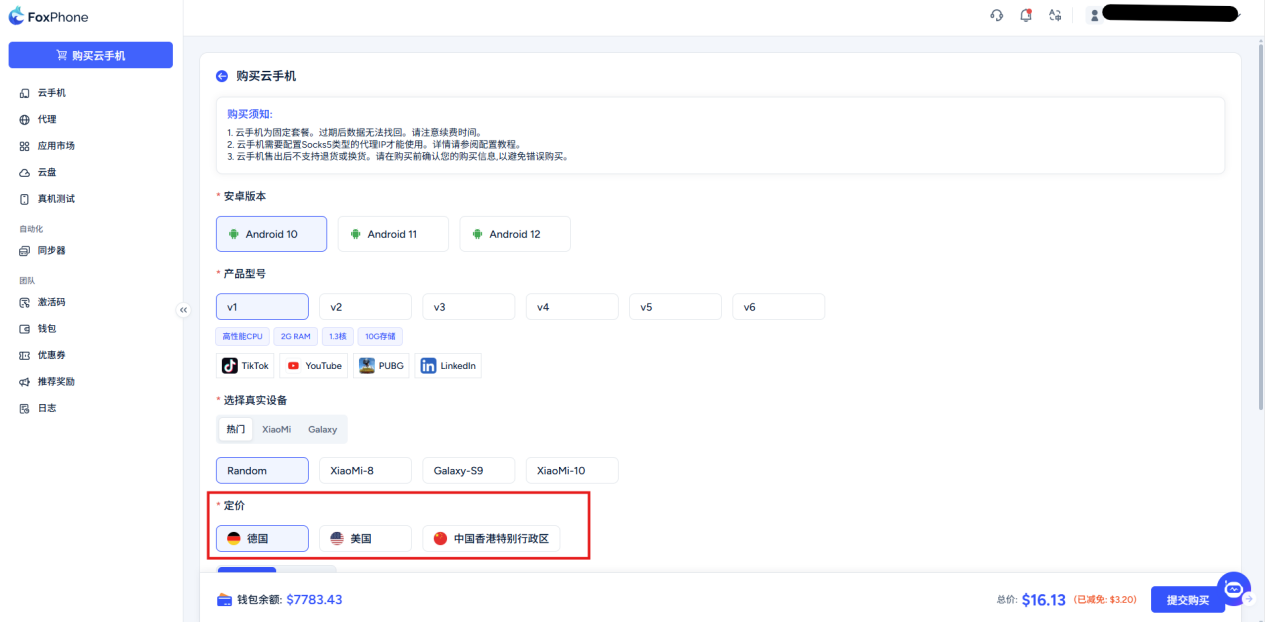
IP region selection suggestions: Network transmission is like driving a car, the closer the distance, the faster the speed.
Local business: Choose which country’s website/game you visit IP. This can minimize the data transmission distance and effectively reduce screen freezes and operation delays.
Avoid detours: Choose the right area IP, like "high-speed direct access", allows your cloud phone to access target applications as smoothly as local operations.
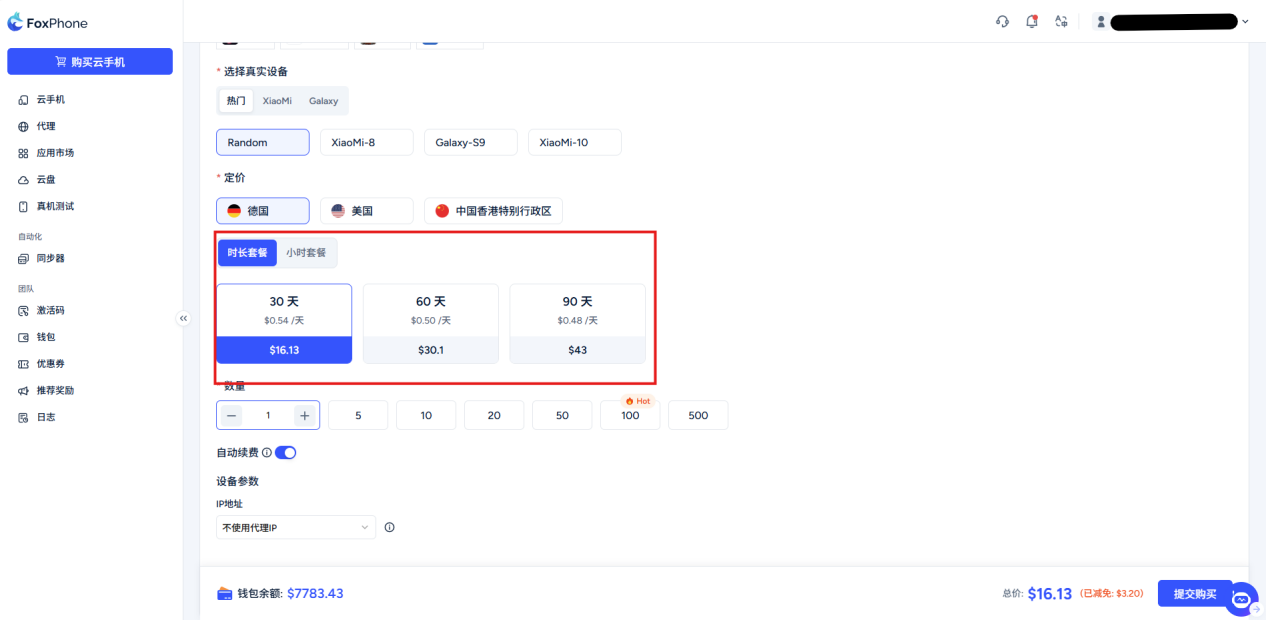
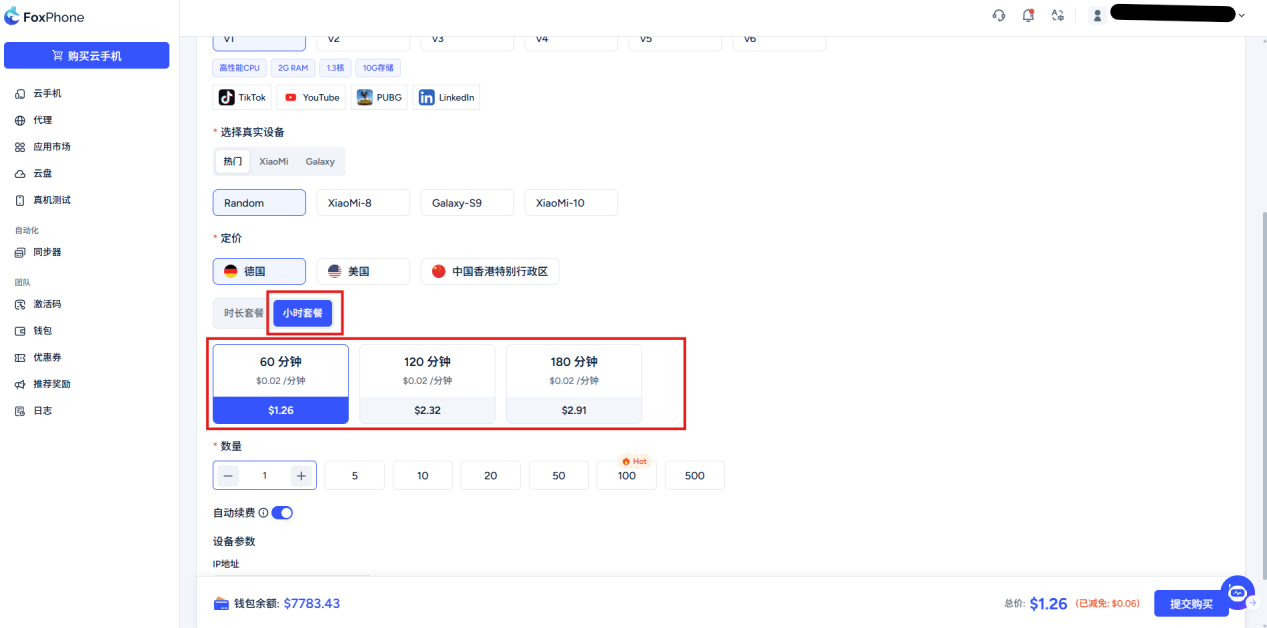
Select package type: duration billing/hourly billing
Duration billing: The billing unit isdays
Hourly billing:The billing unit isHour
Purchasing suggestions:
If you use it occasionally (such as temporary debugging, short-term testing), select this "hourly billing".
If you want to hang up around the clock (such as maintaining an account, moving bricks in the studio), "time billing" is more cost-effective
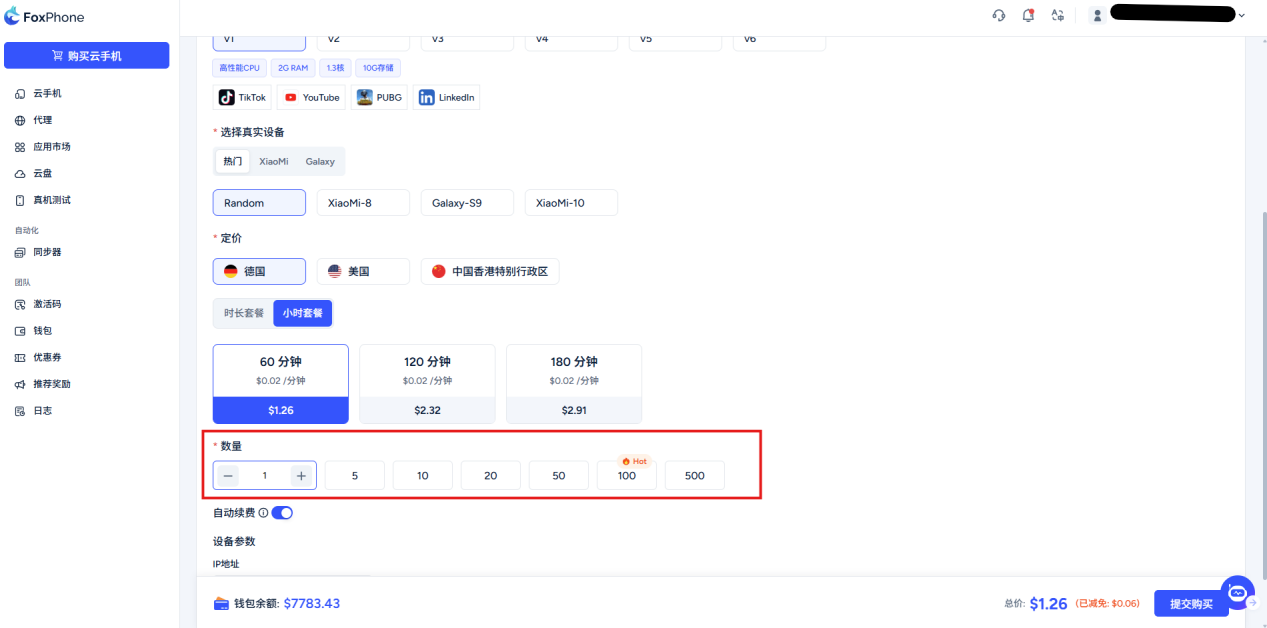
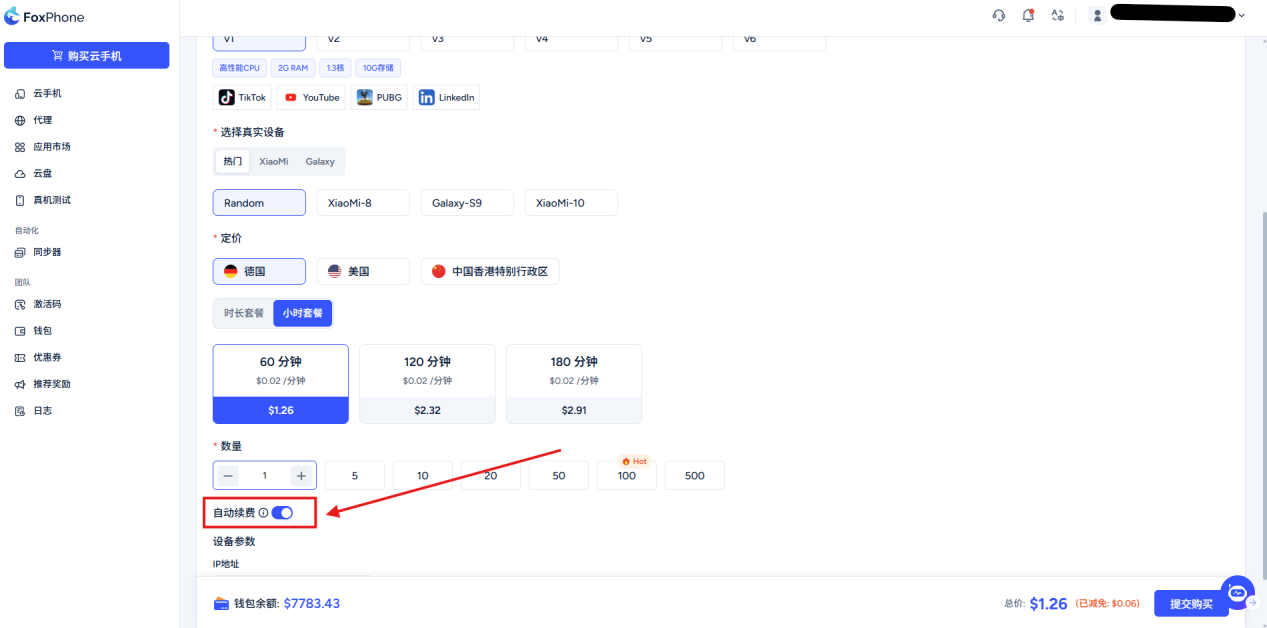
Quantity selection:Choose a cloud phone based on your needsNumber of units, you can select or enter manually
Select the automatic renewal button at the bottom and turn on automatic renewal for your cloud phone (30 days, regardless of hourly billing or day-based billing package)
Confirm and check:
Check whether your Android version, product model, IP address package type and quantity are correct, the system will automatically calculate the price (note: packages are divided into time-based billing and hourly billing, please choose as needed)
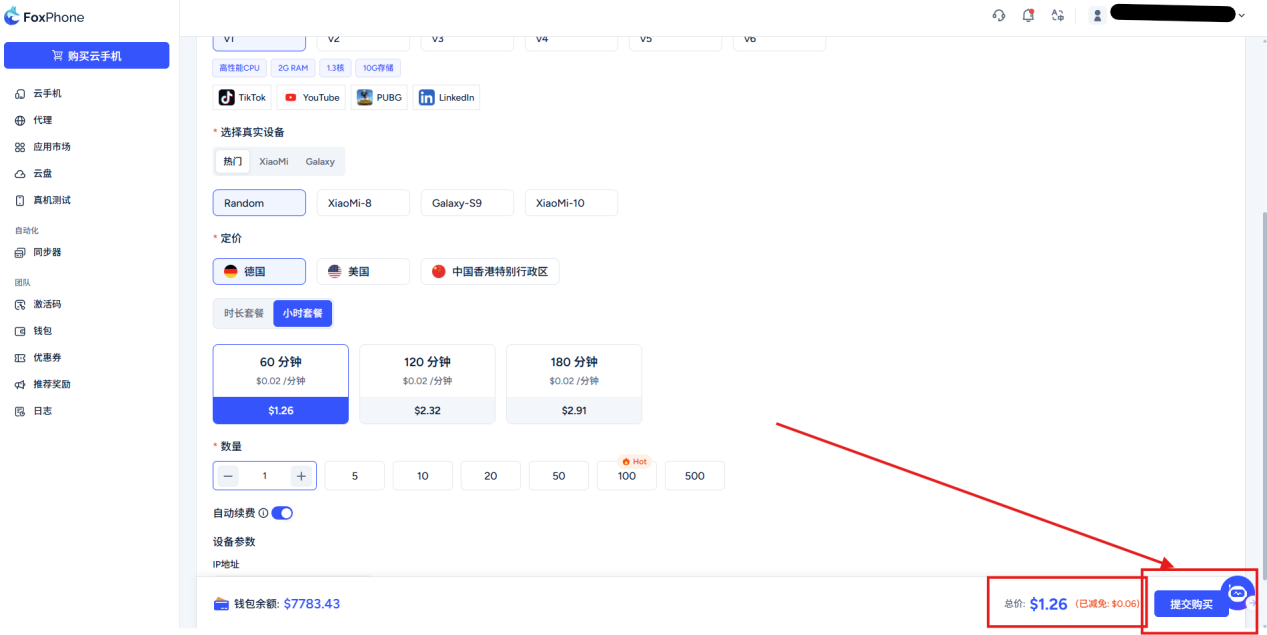
Click the "Buy" button in the lower right corner to complete the purchase.
Supports wallet recharge, Alipay, WeChat, and cryptocurrency payments.
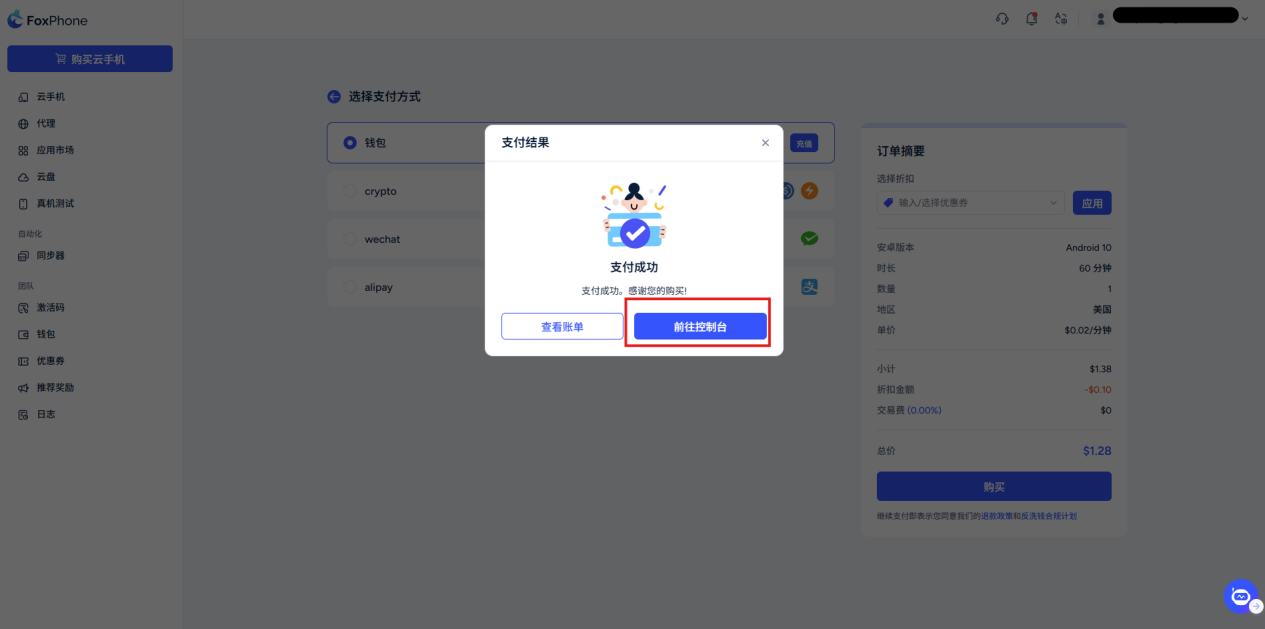
After completing the payment, click [Go to console]
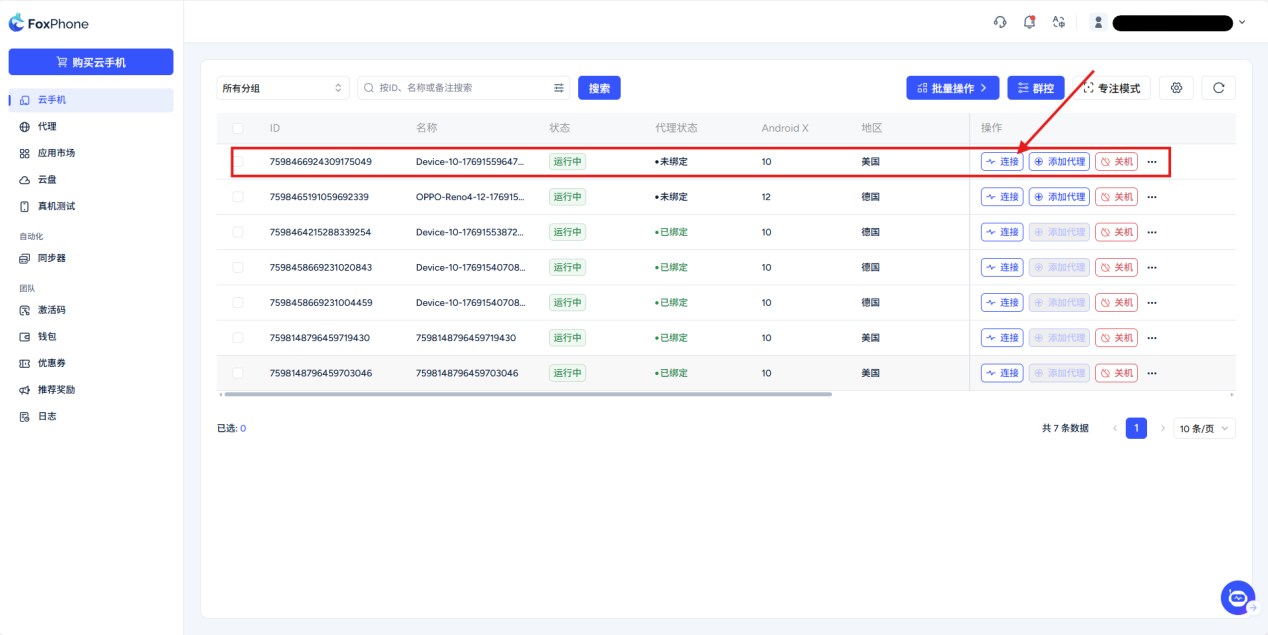
You can see the device you just purchased
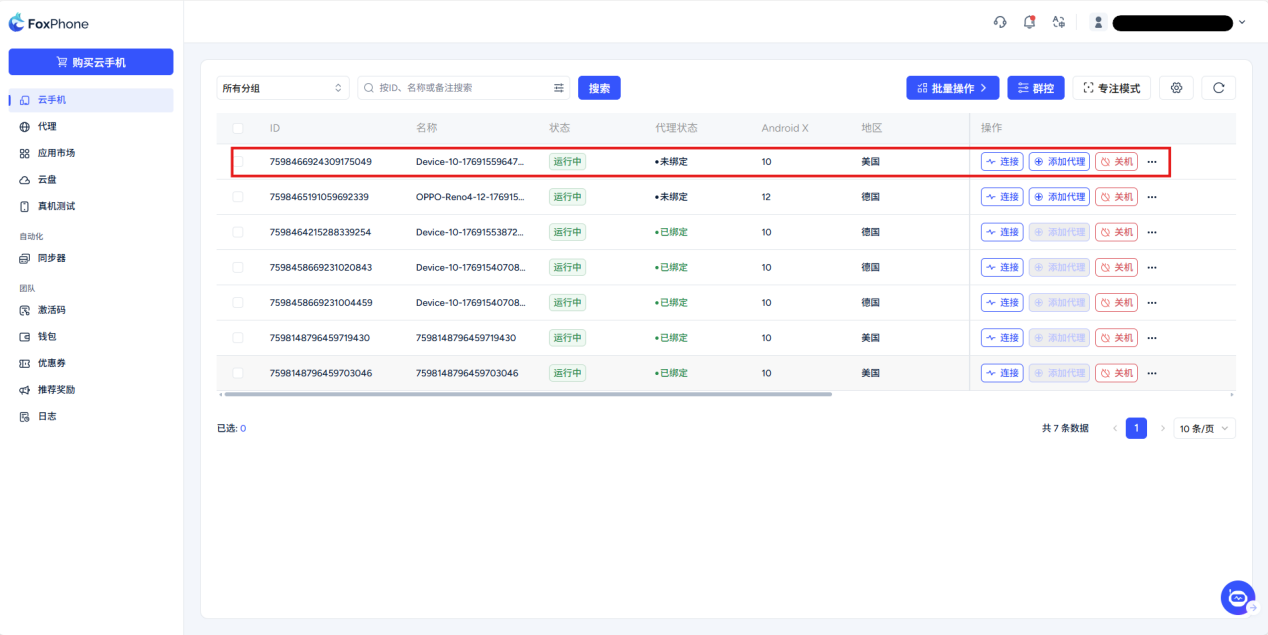
You only need to manually click the [link button] to operate your cloud phone
Note: The speed of starting the cloud phone after purchasing it for the first time is slow, please wait patiently and do not exit the loading interface.
Instance Expiration and Deletion Rules:
For phone instances with a purchase or renewal period longer than 30 days: after service expires, a 1-day freeze period begins; after it ends, the instance is deleted.
For phone instances with a purchase or renewal period no more than 30 days: after service expires, the instance is deleted directly.
Deleted instances cannot be recovered.
Freeze Period Notes:
The freeze period is 1 day.
During the freeze period the instance cannot be used, but renewals are supported.
If renewal is completed during the freeze period, the instance will be restored to available.
Coupon-Redemption Instance Notes:
Cloud phone instances redeemed with vouchers do not include a freeze period by default and will be deleted directly after service expires.
Example: If the voucher provides 2 hours of usage, the instance will be deleted after those 2 hours expire.
If a redeemed instance is later renewed and the cumulative purchase/renewal period exceeds 30 days, subsequent expirations will follow the freeze rules (a 1-day freeze period is provided).
Proxy setting requirements: The cloud phone needs to be configured with a Socks5 type proxy IP . Please refer to the "Configuration Tutorial" for specific operations.
Return policy: Cloud phones are virtual commodities and cannot be returned or exchanged once sold. Please check the purchase information carefully before placing an order to prevent mistaken purchase.
Renew equipment
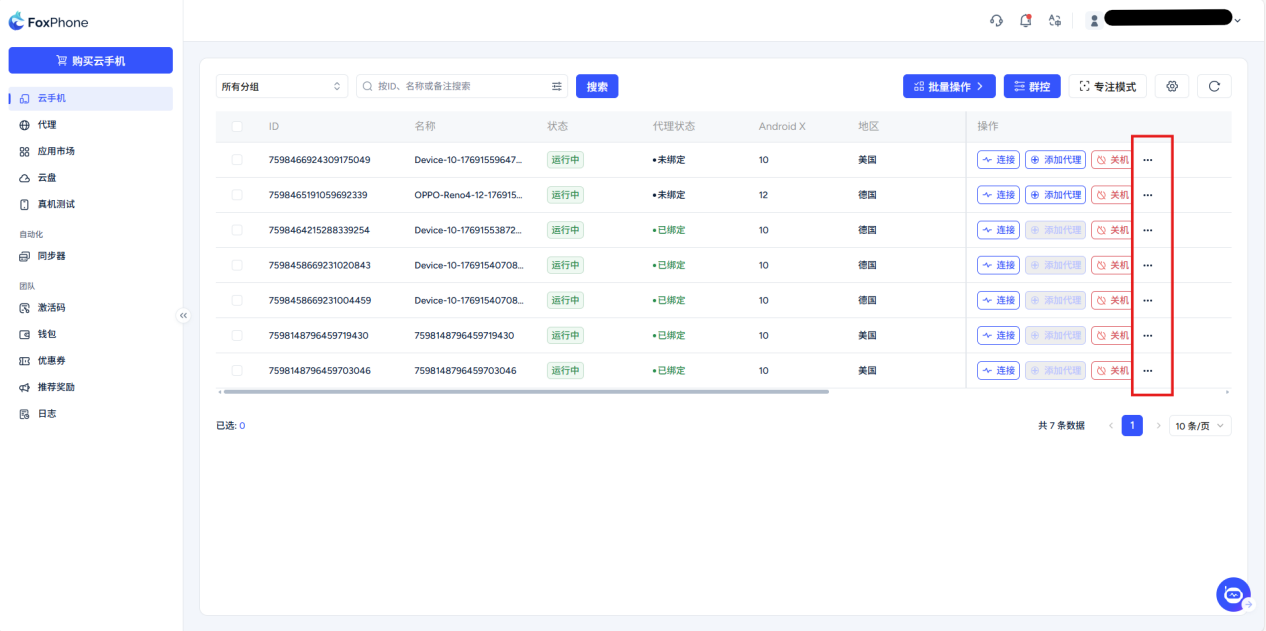
Manual renewal: Click on the device card [...] Click the Renew button and jump to the interface to select the length of time to be extended and pay.
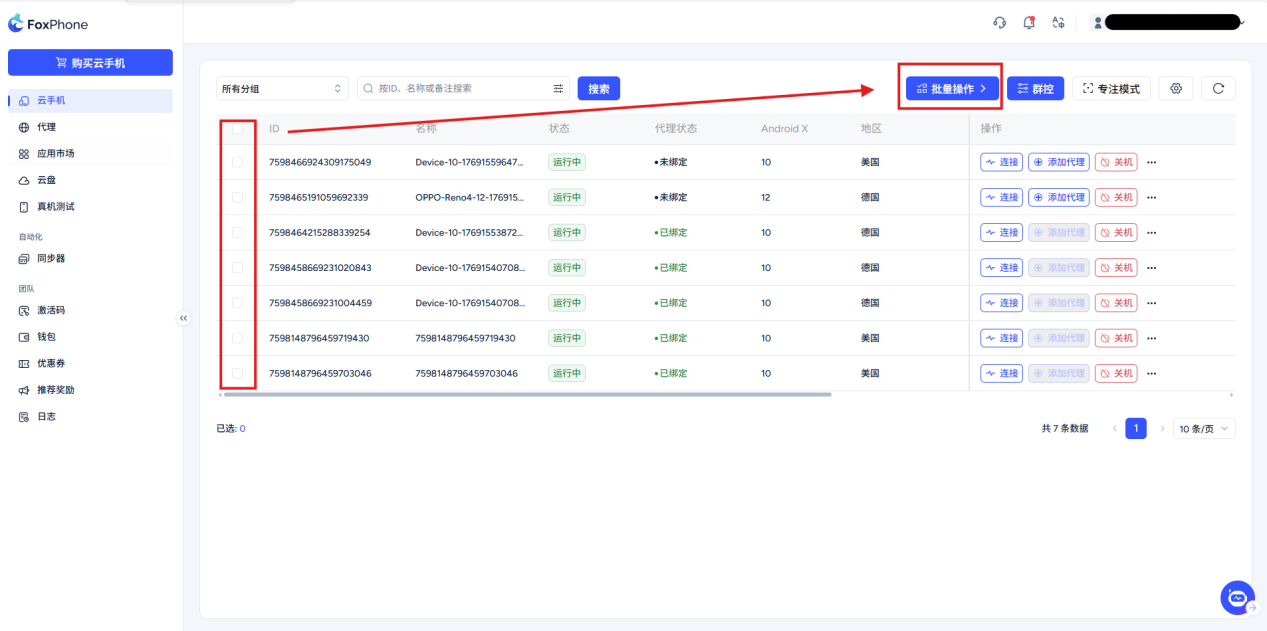
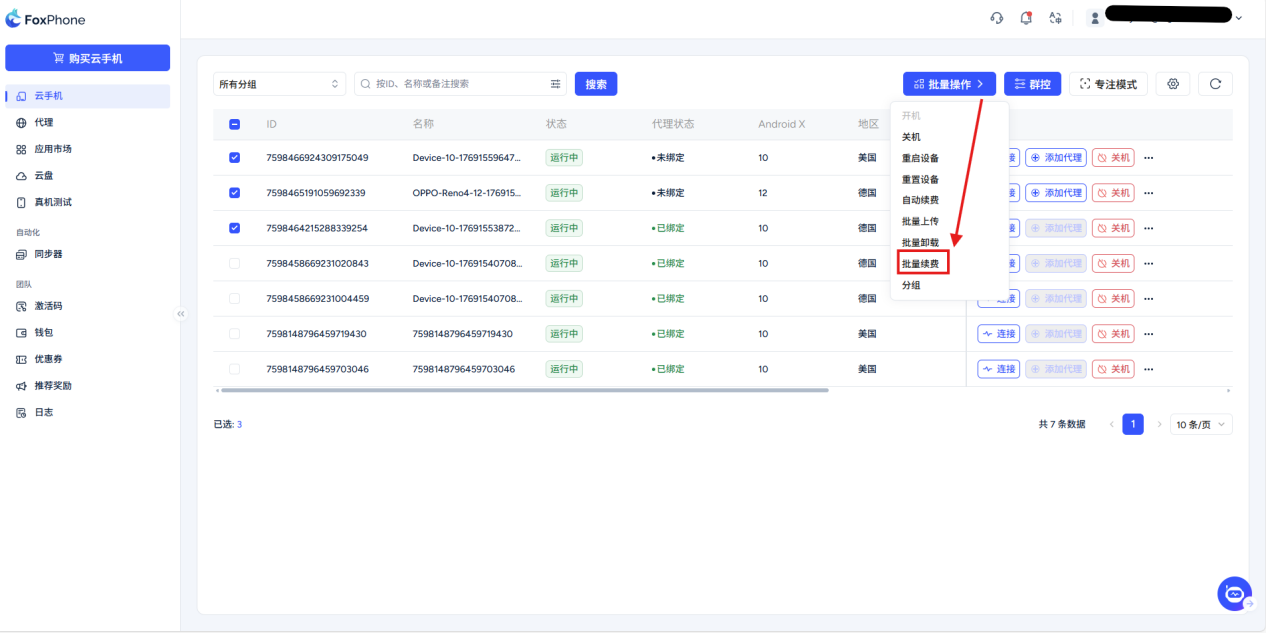
Batch renewal: Check multiple devices in the device list and click on the top [Batch operation] -> [Renewal].
Automatic renewal: Selected in previous step "Automatic renewal", or slide the button at the bottom to turn on automatic renewal. The system will charge based on the package type you choose: (time billing - 24 hours in advance; hourly billing - 15 minutes in advance ) automatic deduction.
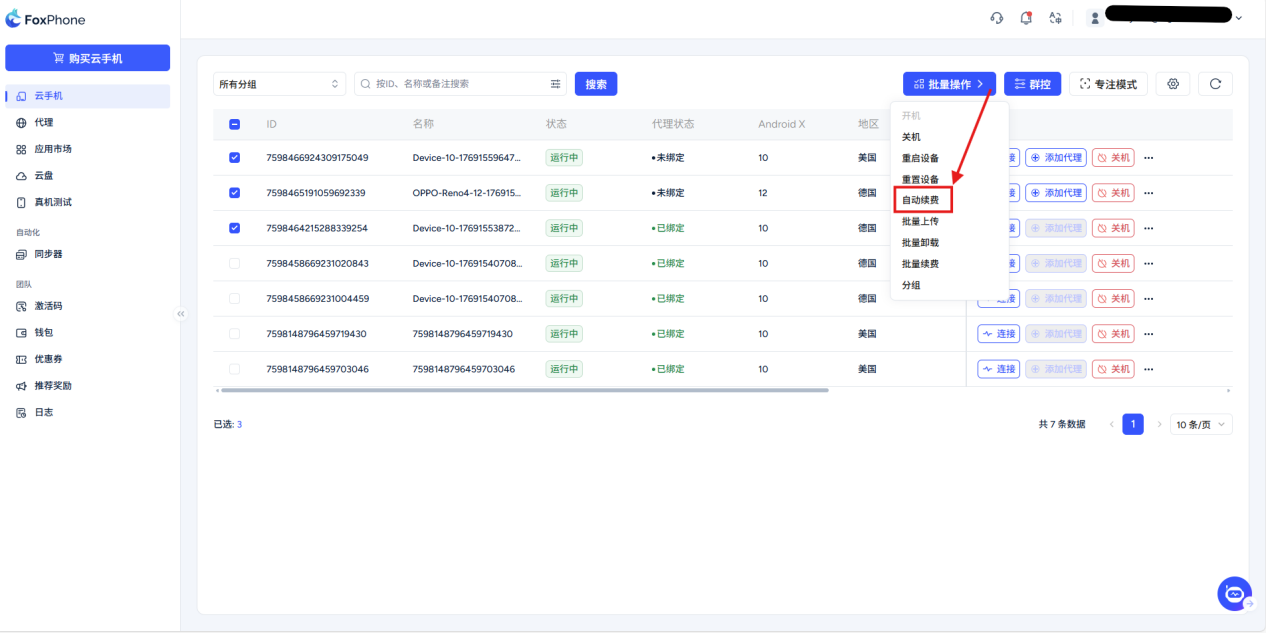
Note: Regardless of whether it is time-based billing or hourly billing, the automatic renewal period is 30 days.
Please check carefully and choose carefully to avoid unnecessary losses.


© 2026 Foxphone LLC. All rights reserved.


 Cookie Notice