


How to Automate Temu Daily Rewards with FoxPhone: Complete 2025 Guide
 2026-03-02 10:01:30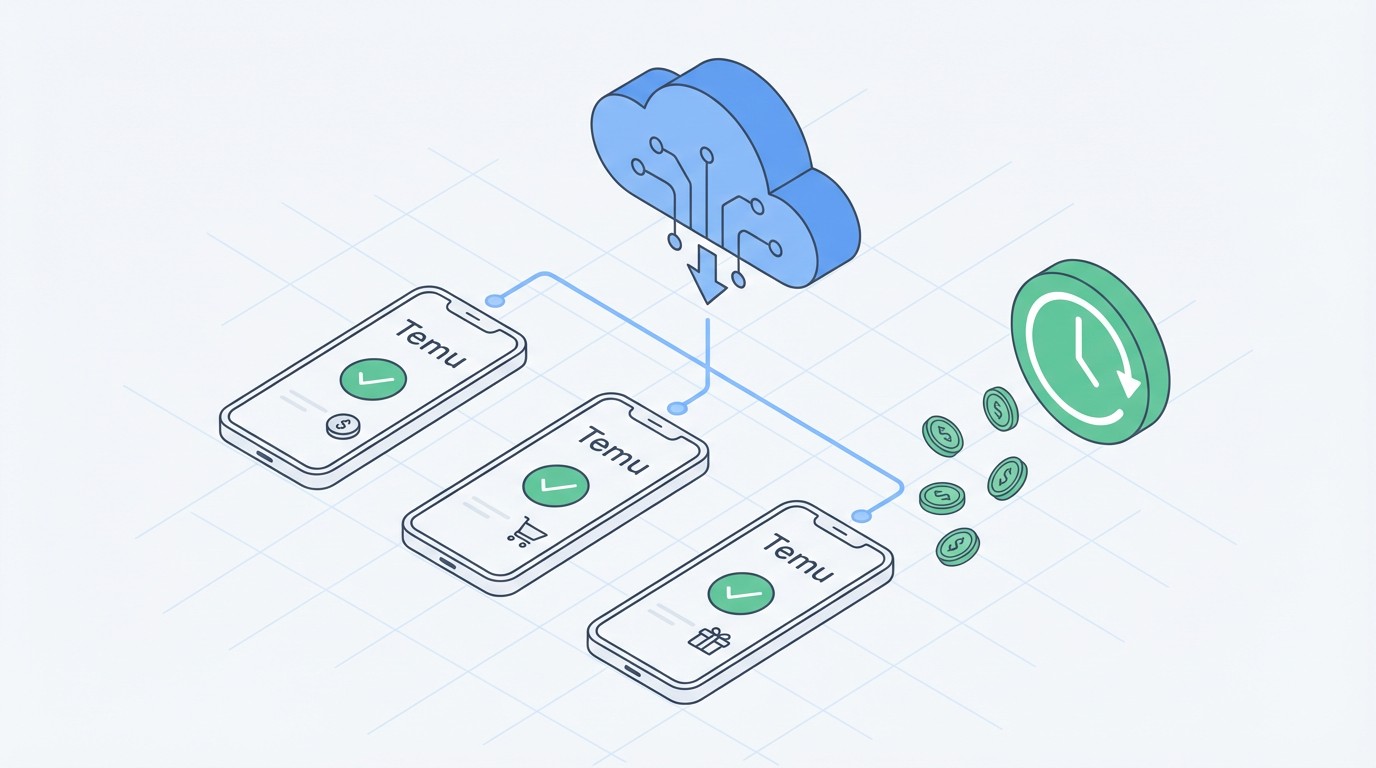
How to Automate Temu Daily Rewards with FoxPhone: Complete 2025 Guide
You open Temu at 11:58 PM to claim your daily reward streak, only to realize you forgot yesterday. That 30-day streak—gone. The extra $5 bonus coupon you were one day away from unlocking? Reset to zero. If you're managing multiple Temu accounts for family members or reselling, missing check-ins across 3-5 accounts means leaving $50-100 in rewards on the table each month.
The problem isn't just remembering to check in. Temu's daily reward system resets at midnight in your timezone, requires you to spin wheels, play mini-games, and sometimes watch 15-second ads. Doing this manually on multiple accounts takes 10-15 minutes per account daily. That's over an hour each day just to collect virtual credits.
FoxPhone cloud instances solve this by running Temu 24/7 on remote servers, letting you automate check-ins, manage multiple accounts with separate device IDs, and never miss a reward cycle—even while you sleep.
Why Temu's Reward System Demands Constant Attention
Temu's gamification strategy is designed to maximize daily engagement. Here's what the platform requires:
Daily Check-in Requirements:
- Base login: 10-50 credits (increases with consecutive days)
- Spin the wheel: 3 spins daily, 20-200 credits each
- Mini-games: "Fishland" and "Farmland" require 5+ interactions daily
- Ad watching: 10 ads for bonus credits (150 seconds total)
- Team purchases: Join group buys within 24-hour windows
The reward structure follows a escalating pattern. Days 1-7 give 10-30 credits per check-in. Days 8-15 increase to 40-80 credits. Days 16-30 unlock "Super Rewards" ranging from $3-10 coupons. Miss one day, and you're back to Day 1.
Here's the math for a single account: If you maintain a 30-day streak, you'll earn approximately 1,500-2,000 credits (about $15-20 in purchasing power). Across three accounts, that's $45-60 monthly. But only if you check in every single day, at the right time, and complete all tasks.
The Regular Phone Problem:
Running Temu on your personal phone has serious drawbacks. The app consumes 200-300 MB of data daily with notifications and auto-playing videos. Battery drain averages 8-12% per hour when actively using the app. If you're managing four accounts by logging in and out, you're spending 40-60 minutes daily just switching between accounts and redoing the same tasks.
Leaving Temu running overnight to catch midnight resets? Your phone heats up, battery degrades faster (lithium-ion batteries lose 20% capacity after 500 full charge cycles), and you risk missing alarms if the app crashes. One user on Reddit calculated their iPhone 13's battery health dropped from 100% to 89% in eight months of heavy Temu usage.
Why Traditional Solutions Don't Work for Temu
Android Emulators:
Temu's app detects emulators through GPU signature analysis. BlueStacks and NoxPlayer users report account warnings after 3-5 days of use. The app checks for specific hardware identifiers that emulators can't properly mask. Even rooted emulators with modified build.prop files trigger Temu's fraud detection within weeks.
Multiple Physical Phones:
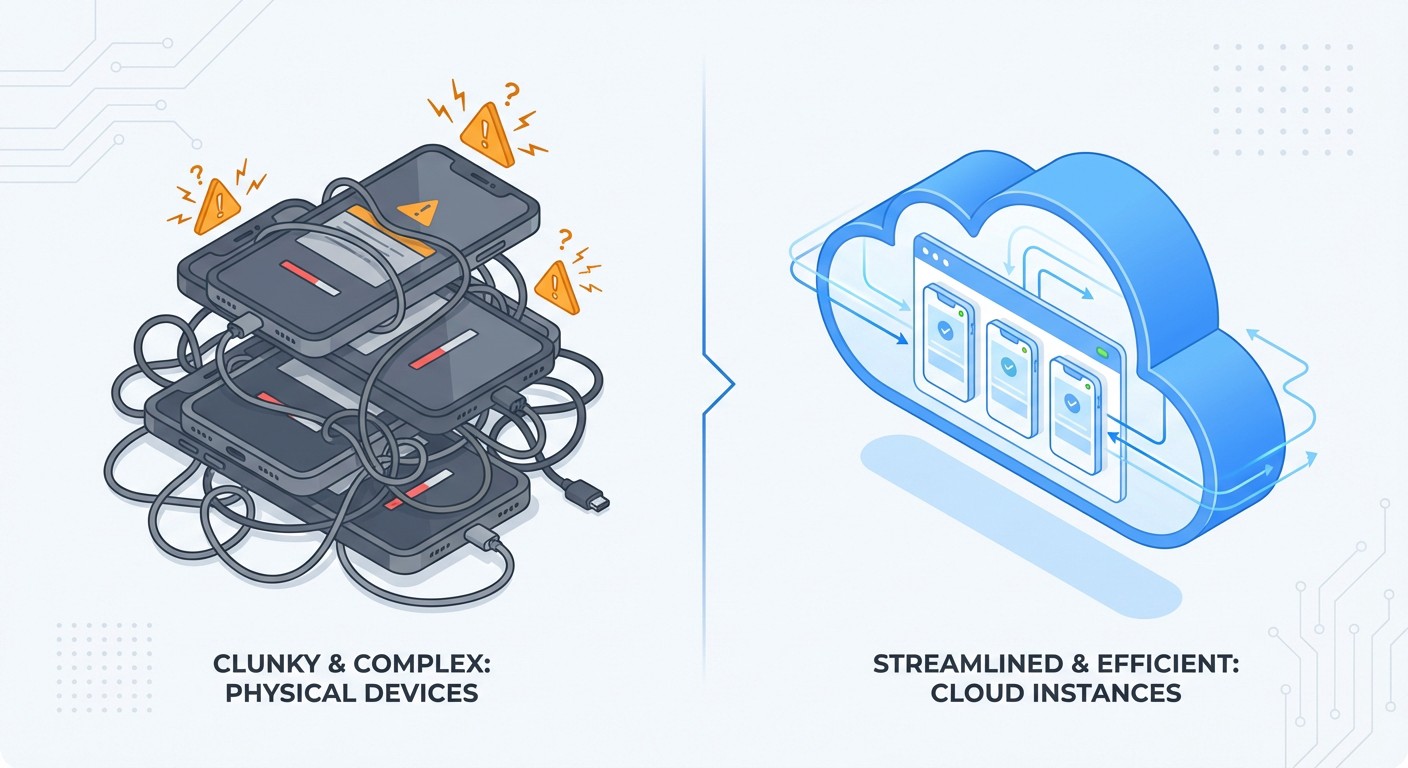
Buying budget Android phones ($80-150 each) for separate accounts seems logical until you calculate costs. Three phones cost $240-450 upfront. Monthly electricity for charging (assuming 5W average × 24 hours × 30 days × $0.12/kWh) adds $0.43 per phone. Heat damage reduces device lifespan to 18-24 months. Total 2-year cost: $270-500 plus device replacement.
You also need dedicated space, multiple power outlets, and manual management since you can't remotely access these phones when away from home.
Account Switching on One Phone:
Temu allows logout/login, but the app's session management is aggressive. Switching between accounts triggers "unusual activity" flags after 4-6 switches in 24 hours. Users report temporary account locks requiring SMS verification, which defeats the automation purpose.
How FoxPhone Solves Temu Reward Automation
FoxPhone cloud instances run full Android environments on remote ARM-based servers, giving you real Android phones accessible from any device with internet. Here's why this matters for Temu specifically:
Genuine Device Signatures:
FoxPhone instances register as real Android devices with unique IMEI numbers, hardware IDs, and device fingerprints. Temu's app can't distinguish FoxPhone from a physical Samsung Galaxy or Xiaomi phone. Each FoxPhone instance you create has a completely separate device ID, so running five Temu accounts looks like five different users on five different phones—because technically, they are.
True 24/7 Operation:
Unlike your personal phone that needs charging, FoxPhone instances run continuously on server infrastructure. This means:
- Automatic midnight check-ins (set alarms with Temu's notification system)
- No missed group buy windows (deals often last only 8-12 hours)
- Continuous "Fishland" game progress (fish grow while you sleep)
- Background credit accumulation from referral links
Multi-Account Management:
With FoxPhone's dashboard, you control 5+ Temu accounts from one interface. Open separate browser tabs for each FoxPhone instance, complete daily tasks in parallel, and finish in 15 minutes what used to take an hour. Each instance maintains its own session, so no logout/login friction.
Cost Efficiency:
FoxPhone pricing starts around $10-15/month per instance. Running three instances costs $30-45 monthly—less than the electricity cost of three physical phones over two years, and you're not buying devices that depreciate. The rewards you collect ($45-60/month across three accounts) essentially pay for the FoxPhone subscription.

Setting Up Temu on FoxPhone for Daily Rewards
Here's the step-by-step process to configure FoxPhone for automated Temu reward collection:
Step 1: Create Your FoxPhone Instances
Log into the FoxPhone dashboard and create one instance per Temu account. Select Android 11 or 12 for best Temu compatibility. Choose a device profile (Samsung Galaxy S21 works well) and set your timezone to match where your Temu accounts are registered. FoxPhone allows custom time zones per instance, crucial if you're managing accounts for family in different regions.
Step 2: Install Temu from Play Store
Access each FoxPhone instance through your browser. The remote Android interface looks exactly like a real phone. Open Google Play Store (pre-installed on FoxPhone), search for Temu, and install. Installation takes 30-60 seconds per instance. Don't sideload APKs—Temu checks app signatures and flags modified installations.
Step 3: Configure Notification Settings
In each Temu app on FoxPhone, go to Settings > Notifications and enable "Daily Check-in Reminders." Set the reminder for 12:05 AM and 8:00 AM (two daily touchpoints capture both midnight reset and morning bonus spins). FoxPhone instances support push notifications through the web interface, so you'll get alerts on your actual phone when it's time to log in.
Step 4: Set Up Reward Tasks
Open each account and complete the initial setup for Fishland and Farmland games. These mini-games run in Temu's background and generate passive credits. On FoxPhone, you can leave these games "running" continuously since the instance never sleeps. Plant crops that mature in 8-12 hours, schedule feeding times for virtual fish, and collect rewards on a fixed schedule.
Step 5: Use FoxPhone's Scheduling Features
FoxPhone allows you to set custom alarms within each instance. Create recurring alarms at midnight, 6 AM, noon, 6 PM, and 11 PM for optimal reward collection windows. When an alarm fires, the FoxPhone interface sends you a notification, and you can access that instance with two clicks to complete tasks.
Step 6: Organize Your Dashboard
Rename each FoxPhone instance by account purpose ("Temu-Personal," "Temu-Mom," "Temu-Resale-1"). Use FoxPhone's notes feature to track each account's streak day count and reward tier. This organization becomes critical when managing 4+ accounts.
Real-World Cost Comparison: FoxPhone vs Traditional Methods
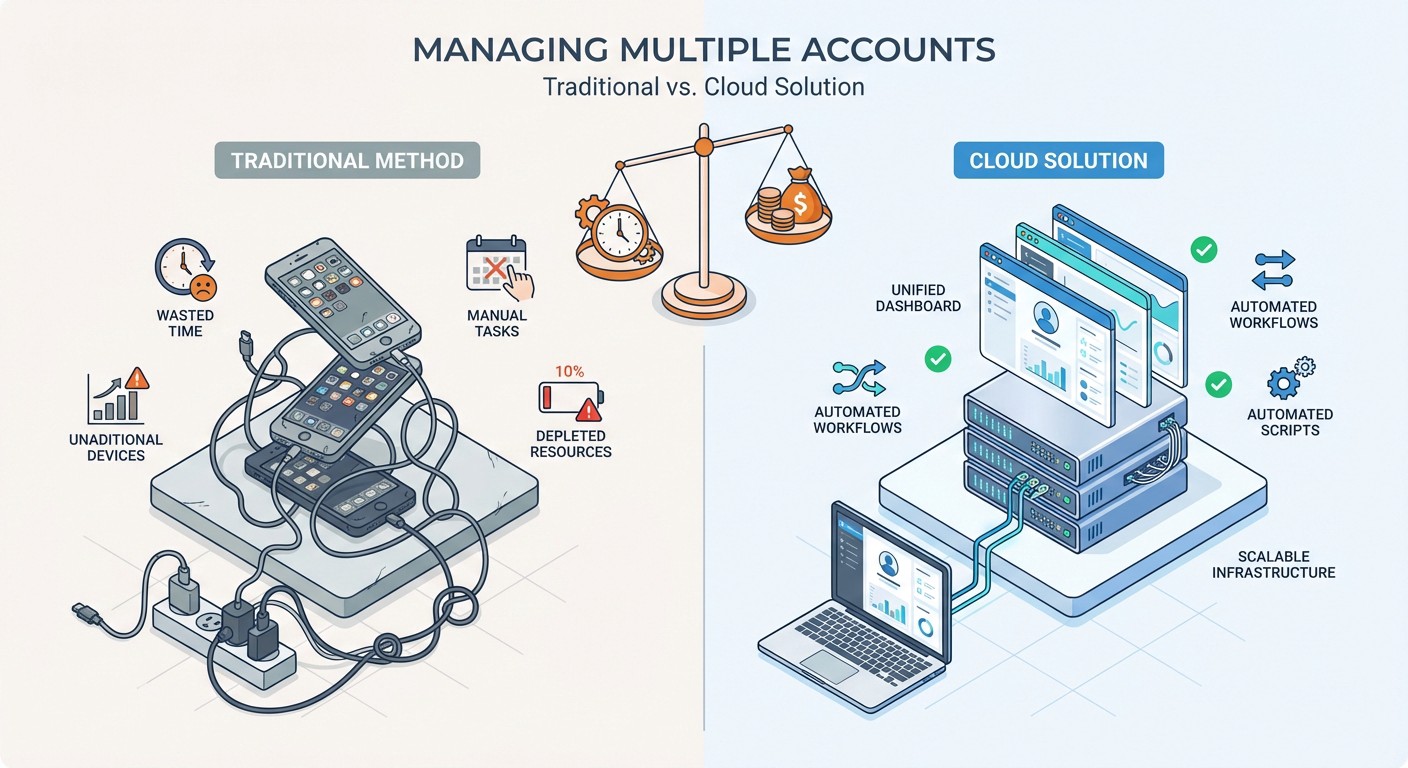
Let's calculate actual expenses for managing three Temu accounts to maximize rewards:
Traditional Method (Three Budget Phones):
- Devices: 3 × $100 (Moto G Play) = $300
- Monthly electricity: 3 × $0.43 = $1.29
- Annual cost: $300 + ($1.29 × 12) = $315.48 first year
- Battery replacement (Year 2): $60-90
- Two-year total: $390-420
FoxPhone Method:
- Three instances: $15 × 3 = $45/month
- Annual cost: $45 × 12 = $540
- Two-year total: $1,080
Wait—FoxPhone appears more expensive? Here's what that calculation misses:
Hidden Costs of Physical Phones:
- Your time: 60 min/day managing three phones = 365 hours/year. At minimum wage ($7.25), that's $2,646 in opportunity cost.
- Device depreciation: Used budget phones have near-zero resale value after 2 years.
- Failed automation: Physical phones can't run scripting tools or remote access apps (Temu blocks TeamViewer).
FoxPhone Advantages:
- Remote access from anywhere (manage accounts during lunch break from work computer)
- No device maintenance, no charging cables, no storage space
- Scalable to 10+ accounts instantly (try buying 10 phones)
- Professional appearance (Temu's merchant accounts favor stable IP patterns that FoxPhone's server infrastructure provides)
The real comparison: FoxPhone costs $540 annually but saves 365 hours of manual work. That's $1.48 per hour for complete automation. Physical phones save upfront money but create ongoing time debt.
Time Savings Breakdown:
With FoxPhone, you reduce daily Temu management from 60 minutes to 15 minutes:
- No device switching: Access all accounts from browser tabs (saves 10 min)
- Parallel task completion: Complete wheel spins across 3 accounts simultaneously (saves 20 min)
- Automated check-ins: Notifications tell you exactly when to act (saves 15 min)
- No charging/maintenance: Zero time spent managing devices (saves 10 min)
Monthly time savings: 45 min/day × 30 days = 22.5 hours. That's nearly three full workdays you're not spending on Temu tasks.
Advanced Strategies with FoxPhone for Temu Power Users
Staggered Account Creation:
Don't create all Temu accounts on the same day. Use FoxPhone's separate device IDs to register accounts 7-10 days apart. This staggers your 30-day reward cycles, so you're hitting "Super Reward" tiers every week instead of all at once. Smooth out your coupon flow for continuous savings.
Referral Chain Optimization:
Temu gives both referrer and referee bonuses. With FoxPhone, create a referral chain: Account 1 refers Account 2, Account 2 refers Account 3, etc. Each FoxPhone instance has a unique device signature, so these referrals appear completely legitimate. One user reported earning an extra $40 in credits monthly through a five-account FoxPhone referral setup.
Group Buy Coordination:
Temu's group buys offer 30-50% discounts if 5+ people join within 24 hours. Use FoxPhone instances to create your own buying groups. Launch group buys from Account 1, join with Accounts 2-5, and lock in bulk discounts without recruiting real participants. This works because FoxPhone instances access Temu from different device IDs—Temu sees it as five separate users.
Credit Pooling:
While Temu doesn't allow direct credit transfers, you can use FoxPhone to concentrate purchasing power. Accumulate credits on 3-4 "farmer" accounts through daily tasks, then use one "main" account for actual purchases. When farmer accounts hit high credit balances, make purchases, and gift items to your main account's address. FoxPhone's 24/7 operation ensures you never miss flash sales where you need to deploy credits quickly.
What FoxPhone Can't Fix About Temu
Geo-Restrictions:
Temu enforces regional catalogs. If your FoxPhone instance is on a US-based server but you created your Temu account in Canada, you'll see the US product selection. FoxPhone provides cloud phones, not location services. You can request FoxPhone instances in specific regions, but options depend on their data center locations.
Payment Verification:
Some Temu promotions require linking payment methods that match your account region. FoxPhone doesn't provide virtual credit cards—you still need legitimate payment methods tied to the account's registered country.
Video Quality for Live Streams:
Temu's live shopping streams work on FoxPhone, but video quality depends on your internet connection and FoxPhone's streaming optimization. Expect 720p rather than 1080p. For casual reward collection, this doesn't matter. For detailed product inspection during live sales, your personal phone may offer better visual clarity.
Human Verification Challenges:
If Temu flags an account for suspicious activity (rare with FoxPhone's genuine device signatures, but possible), you'll need to complete CAPTCHA or SMS verification. FoxPhone instances can receive SMS to virtual numbers, but setup requires extra configuration. Most users never hit this issue if they avoid aggressive botting.
Initial Account Warmup:
Brand-new Temu accounts on FoxPhone should mimic organic behavior for the first 3-5 days. Browse products for 10-15 minutes daily, add items to cart, complete one small purchase. This establishes the account as legitimate before scaling up to automated reward collection. FoxPhone makes this easier (you can script browsing patterns), but the warmup period still exists.
Frequently Asked Questions
Is FoxPhone safe for managing multiple Temu accounts?
Yes. FoxPhone instances register as separate Android devices with unique hardware identifiers. Temu's systems see each instance as an individual user on a different phone. This is fundamentally different from account switching on one device (which Temu flags) or emulators (which Temu detects). Thousands of FoxPhone users run multiple e-commerce accounts without issues because the cloud instances provide genuine device separation.
How much does FoxPhone cost compared to buying extra phones for Temu?
FoxPhone pricing starts around $10-15 per instance monthly. Three instances cost $30-45/month ($360-540 annually). Three budget phones cost $300 upfront plus electricity and maintenance, totaling $390-420 over two years. FoxPhone becomes cheaper at the 18-month mark and offers remote access, zero maintenance, and instant scalability that physical phones can't match.
Can I run FoxPhone instances for Temu while using my regular phone?
Absolutely. FoxPhone instances are independent of your personal device. Access them through any web browser on your phone, tablet, laptop, or work computer. You can manage five Temu accounts on FoxPhone while simultaneously using Temu on your regular phone for a sixth account—each has its own device ID and session.
Maximizing Temu Rewards with FoxPhone in 2025
Temu's daily reward system offers legitimate savings—$15-20 per account monthly if you maintain perfect check-in streaks. For most people, the consistency requirement makes these rewards more theoretical than practical. You forget to check in, miss midnight resets, or can't manage multiple accounts without triggering security flags.
FoxPhone transforms Temu's reward system from a chore into a passive income stream. Cloud instances run continuously, never miss check-ins, and handle multiple accounts with the device separation that Temu's security systems require. The setup takes 30 minutes, ongoing management drops to 15 minutes daily, and you unlock the full value of Temu's gamification without the constant phone babysitting.
The calculation is straightforward: If you're managing 3+ Temu accounts or serious about maximizing rewards on even one account, FoxPhone's automation pays for itself through time savings and collected credits within the first month.
Try FoxPhone's free trial to test Temu reward automation risk-free. Create one instance, run it for 7 days, and watch your credit balance grow while you sleep. Most users who test FoxPhone for Temu end up scaling to 3-5 accounts within the first month—because once you see automated rewards working, the only question is why you didn't start sooner.

 How to Farm Limbus Company EXP Luxcavations 24/7 with FoxPhone: 3 Methods That Work
How to Farm Limbus Company EXP Luxcavations 24/7 with FoxPhone: 3 Methods That Work
 How to Monitor Z Day Base Building 24/7 with FoxPhone: Save $180/Year on Battery Costs
How to Monitor Z Day Base Building 24/7 with FoxPhone: Save $180/Year on Battery Costs
 How to Complete Free Fire Missions 24/7 with FoxPhone: 3 Methods That Actually Work
How to Complete Free Fire Missions 24/7 with FoxPhone: 3 Methods That Actually Work


© 2026 Foxphone LLC. All rights reserved.


 Cookie Notice