Virtual Phones Built for Global Multi-Account Operations
FoxPhone delivers high-fidelity, isolated Android environments with authentic device fingerprints. Empower your team to scale social marketing, e-commerce, and automation workflows with enterprise-grade security.
The same number is repeatedly assigned to different users.
Virtual number ranges that are easily detected by apps.
Scattered verification records with no traceability, making troubleshooting difficult and slowing business progress.
Benefits of Using FoxPhone Virtual Phones
Reusable SMS receiving during the rental period.
Carefully selected high-quality numbers assigned to one user only.
Physical SIM numbers and virtual numbers available.
Flexible API/script integration to seamlessly build automated verification and operation workflows.
Centralized management
Unified Management of Physical & Virtual Numbers
FoxPhone Virtual Phones allow centralized management of multiple numbers under one account. Easily link numbers to stores or global social accounts without deploying multiple physical devices, enabling teams to efficiently manage large volumes of accounts and greatly simplifying enterprise-level number management.
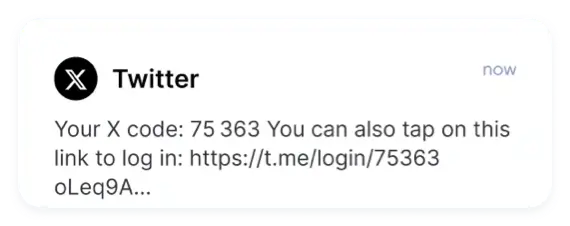
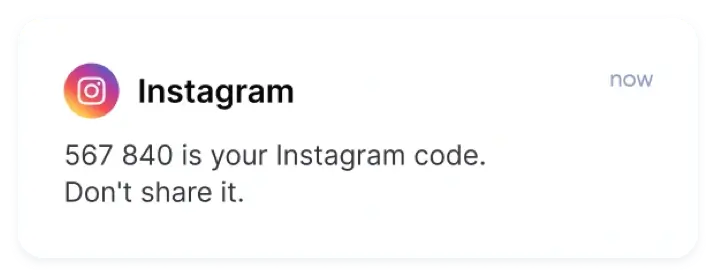
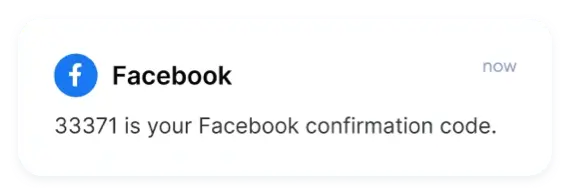
All SMS verification codes are centrally received and stored in the FoxPhone dashboard. View everything in one place without switching devices or pages—ideal for cross-border registration and account verification with stable, reliable delivery.
FoxPhone Virtual Phones use premium resources and filter recycled numbers across platforms to safeguard your business. Script and HTTP integrations support batch binding and custom automation tasks, running stably 24/7 for secure and efficient cross-border operations.
Pure and independent native Android environment, ensuring your business runs as smoothly and stably as a real device.
Global Market Access
Covering major global regions, helping you easily expand into overseas markets and connect with customers worldwide.
Always-on Stability
Cloud-hosted 'always-on' phone that doesn't consume local data or memory, ensuring uninterrupted business operations.
See Real Feedback From FoxUsers
What our customers are saying
Overall Experience
The FAQ matched my experience: Virtual mobile phone is a cloud-hosted device that lets teams run apps and numbers without physical hardware. It keeps my workflow efficient.
caseydavis
Product designer
Automation & Dev
What stood out is that Virtual mobile phone offers browser-based control and API access, so you do not need a local phone virtual machine stack. That saves me hours each week.
caseyfeng
Growth marketer
Overall Experience
In daily use, The service supports centralized number management and online SMS receiving so accounts are verified quickly. It makes long-running tasks feel effortless.
caseygray
Data engineer
Automation & Dev
I appreciate that The service stays online 24/7 and works well with scripts and scheduled tasks. It fits the way I work.
caseykelly
Mobile app developer
Find Answers Fast!
Solve common issues without waiting!
You have different questions?
Our team will answer all your questions. We ensure a quick response.
What is a virtual mobile phone for global operations?
Virtual mobile phone is a cloud-hosted device that lets teams run apps and numbers without physical hardware. It behaves like a phone virtual machine but is easier to scale and manage online. For multi-account work, this service is reliable.
Can a virtual mobile phone replace a phone virtual machine on PC?
Virtual mobile phone offers browser-based control and API access, so you do not need a local phone virtual machine stack. It is closer to a virtual phone for pc, but with cloud stability and elastic capacity. That makes the service simpler for teams.
How does the service manage numbers and SMS?
The service supports centralized number management and online SMS receiving so accounts are verified quickly. You can route messages to the right instance and track usage. For scaled verification, virtual mobile phone reduces friction.
Is the service online stable for automation?
The service stays online 24/7 and works well with scripts and scheduled tasks. It can act like a virtual mobile device emulator while still offering real device behavior. When uptime matters, virtual mobile phone online is dependable.
How do I get started and set image alt?
Devices can be created in minutes with templates and bulk provisioning. For assets, use alt text like "virtual mobile phone dashboard" and close the section with virtual mobile phone.
You have different questions?
Our team will answer all your questions. We ensure a quick response.
Advance your global operations with FoxPhone virtual devices designed for dependable performance.
Manage your work apps and accounts from one secure cloud device with steady, professional-grade reliability.
This website uses cookies to improve the user experience. To learn more about our cookie policy or withdraw from it, please check our Privacy Policy and Cookie Policy.



 Only one-time code reception.
 Reusable SMS receiving during the rental period.
 Centralized management


 SMS Code
 AI-powered automation





See Real Feedback From FoxUsers
Product designer
Growth marketer
Data engineer
Mobile app developer