


How to Farm Summoners War Dungeons 24/7 with FoxPhone: Save $840/Year on Multiple Accounts
 2026-03-02 10:01:30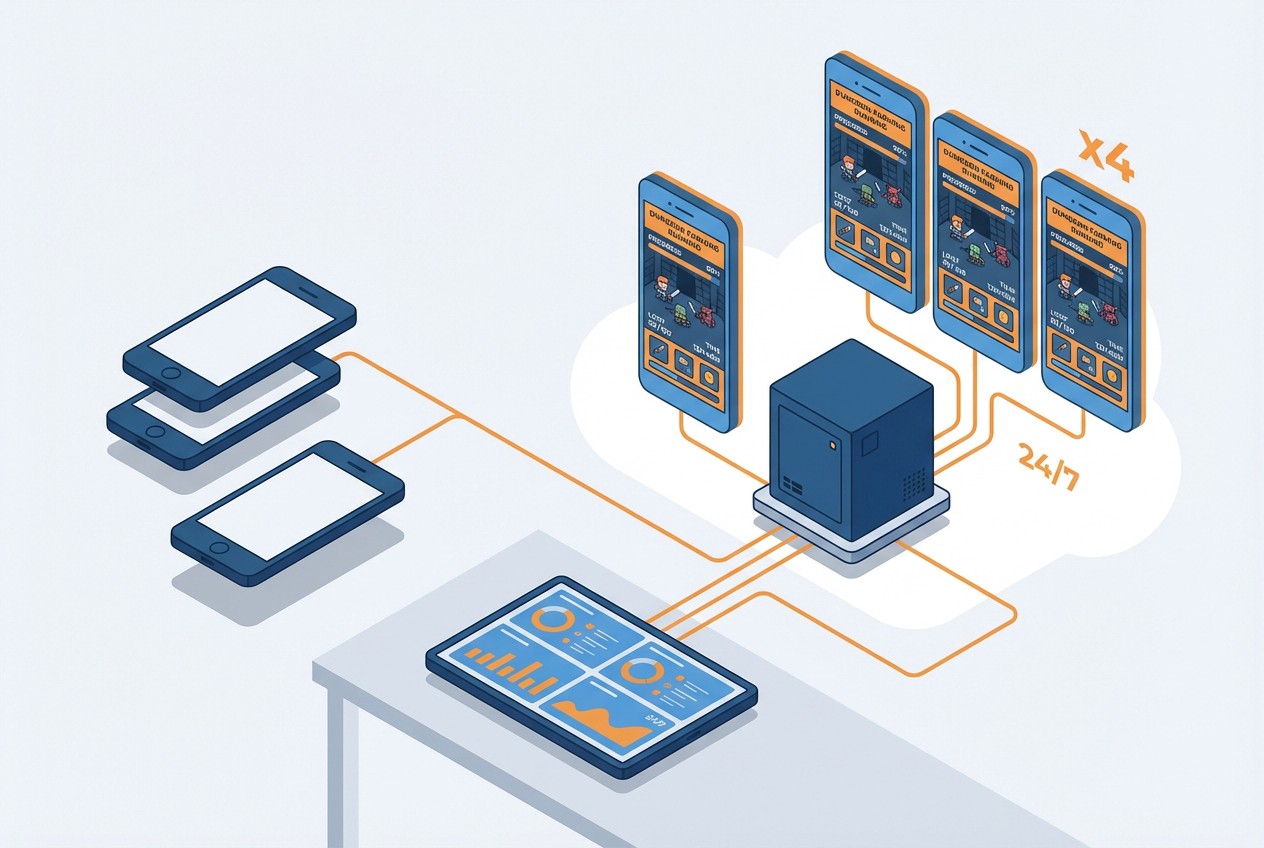
How to Farm Summoners War Dungeons 24/7 with FoxPhone: Save $840/Year on Multiple Accounts
Summoners War players know the grind never stops. Giants B12, Dragons B12, Necropolis—these Cairos Dungeons require hundreds of runs weekly to get usable runes. Each run takes 1-3 minutes depending on your team speed, and you need thousands of runs to build competitive monsters. The problem? Your phone needs to stay on for 6-8 hours daily, draining battery cycles and racking up electricity costs.
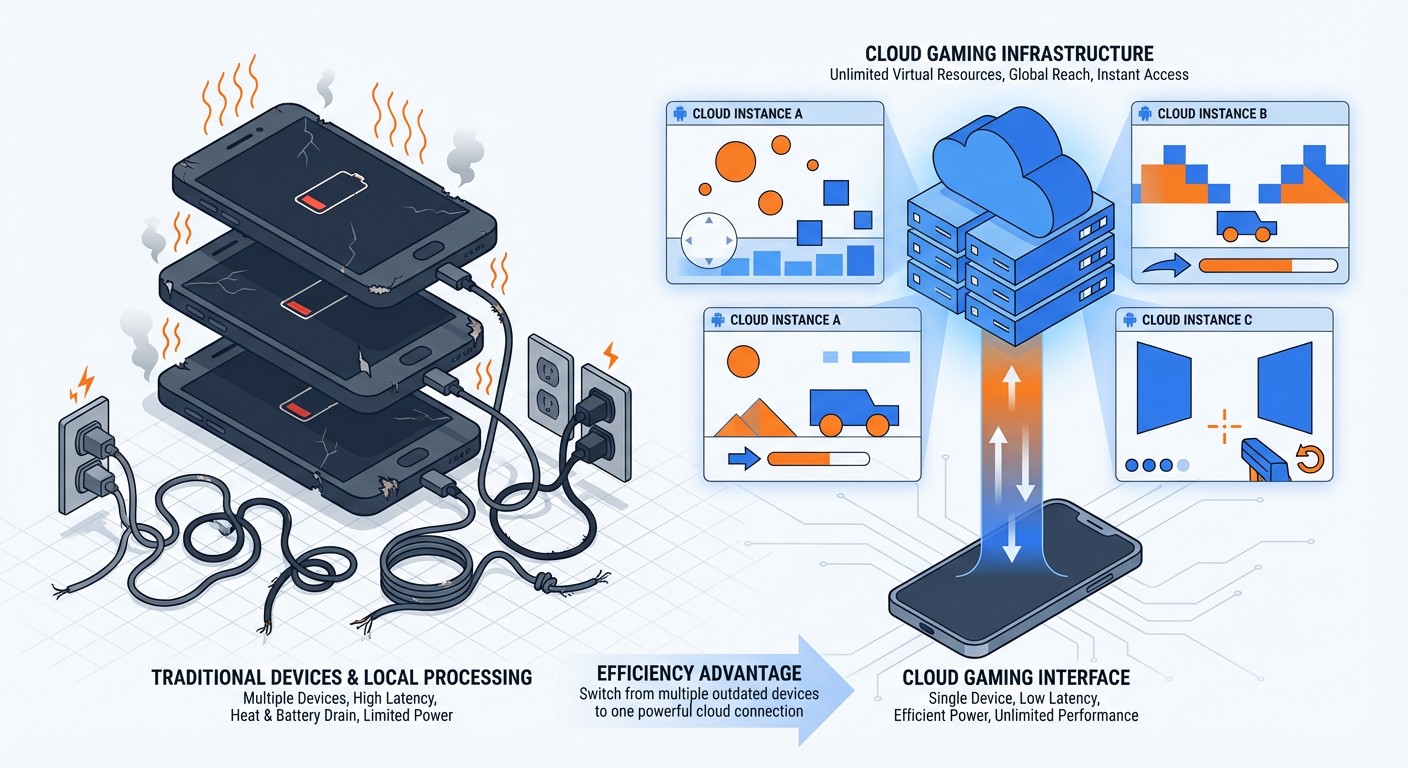
Most serious players run 2-4 accounts: a main account, skill-up farming alts, and maybe a second-wind farming account. Keeping multiple phones plugged in 24/7 isn't just inconvenient—it destroys device batteries within 8-12 months and costs real money in electricity. That's where FoxPhone changes everything.
FoxPhone is a cloud-based Android phone service that runs on remote servers. Your Summoners War accounts stay online 24/7 without touching your physical phone's battery, and you can manage multiple instances simultaneously with separate device IDs. Here's how FoxPhone solves the Summoners War grinding problem and whether it's worth the investment.
Why Summoners War Destroys Your Phone Battery
Summoners War's auto-battle system is both a blessing and a curse. You can set teams to auto-run dungeons, but the game requires constant screen-on time. Here's the battery math:
- Average dungeon run: 90 seconds (speed teams) to 180 seconds (safe teams)
- Energy refill cycle: 1 energy per 5 minutes = 288 energy per 24 hours
- Runs per natural energy: ~36 runs daily (288 energy ÷ 8 energy per B12 run)
- Active grinding time: 54-108 minutes daily just burning natural energy
That's not counting crystal refills. Competitive players burn 300-500 crystals daily on refills during free-energy-time events, which means 4-6 hours of continuous auto-battling. Running your phone screen-on for 6+ hours daily accelerates battery degradation. Most phone batteries lose 20% capacity after 500 full charge cycles—which you'll hit in 6-9 months with heavy Summoners War grinding.
The electricity cost adds up too. A typical smartphone draws 5-10 watts while gaming. At $0.13/kWh average US electricity rates:
- 6 hours daily = 180 hours monthly
- 180 hours × 8 watts = 1.44 kWh
- 1.44 kWh × $0.13 = $0.19/month per phone
Doesn't sound like much until you multiply by multiple accounts and factor in battery replacement costs ($80-120 per phone annually).
The Multi-Account Problem
Serious Summoners War players maintain multiple accounts for good reasons:
Skill-up farming accounts: Feed devilmons and family skill-ups to your main account's monsters. You can't trade between accounts directly, but many players maintain alts to maximize resources during special events.
Second-wind farming: Run a fresh account through early/mid-game content to stockpile crystals and scrolls, then focus resources on specific monster families.
Guild/Siege coordination: Manage multiple accounts in different guilds to coordinate siege battles and test defenses.
Running 3-4 accounts means buying 3-4 dedicated phones or constantly logging in/out (which triggers Com2uS security checks). Three mid-range Android phones ($200 each) cost $600 upfront, plus $60-90 annually per phone in battery replacements. Over two years, you're looking at $720-840 in hardware costs alone.
PC emulators seem like a solution, but Com2uS detects most emulator signatures. While they don't ban on first detection, you'll face intermittent login issues and missing device verification. Plus, emulators still require your PC running 24/7, which costs $15-25 monthly in electricity (desktop PCs draw 100-300 watts).
How FoxPhone Solves the Summoners War Grinding Problem
FoxPhone runs full Android instances on cloud servers with ARM architecture—the same processor type as real phones. This means Summoners War sees FoxPhone instances as legitimate Android devices, not emulators. Each FoxPhone instance gets a separate device ID, so Com2uS treats them as completely different phones.
Here's why FoxPhone works specifically for Summoners War:
24/7 auto-battle without device wear: Your FoxPhone instances run continuously on remote servers. Set your Giants B12 team on auto-battle before bed, and it'll keep running for 8 hours straight without touching your physical phone's battery. FoxPhone handles all the processing server-side.
Multi-instance management: FoxPhone lets you run 3-5 Summoners War accounts simultaneously from one dashboard. Switch between accounts instantly without logging out—each instance maintains its own game session. This is perfect for burning wings in Real-Time Arena across multiple accounts or coordinating guild battles.
Separate device IDs prevent detection: Com2uS tracks device IDs to detect account sharing and botting. FoxPhone assigns unique device IDs to each instance, so running multiple accounts doesn't trigger security flags. Your accounts appear as separate devices to Com2uS servers.
Energy-efficient farming: Instead of running a physical phone at 8 watts for 6 hours, FoxPhone's cloud infrastructure distributes processing across optimized servers. You access everything through a lightweight stream (similar to watching YouTube), which uses 90% less battery on your actual phone.
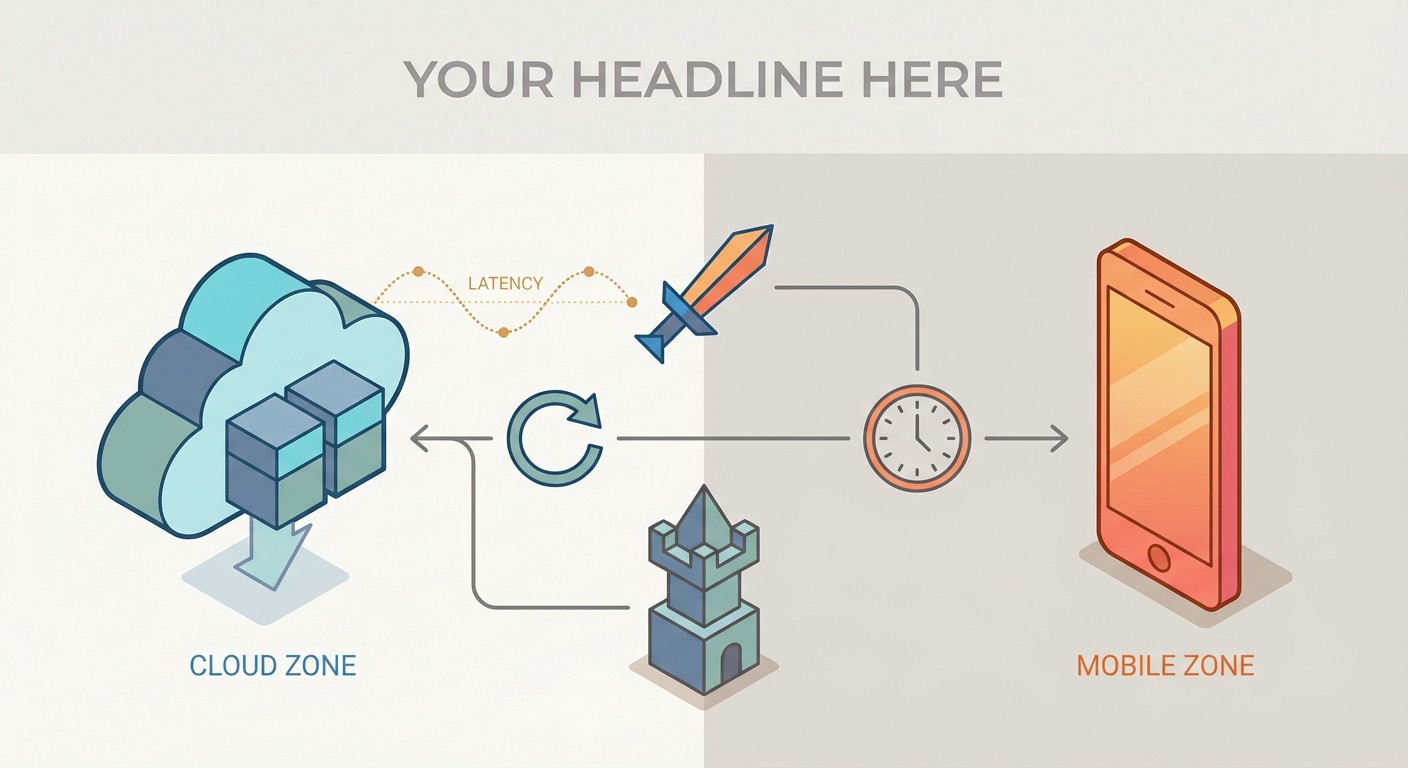
The catch? FoxPhone requires stable internet since you're streaming the Android interface. If your connection drops, your Summoners War session continues running on FoxPhone's servers, but you'll lose remote access until reconnecting. For dungeon farming, this isn't a problem—auto-battle keeps running. For live PvP, you might experience input lag (typically 40-80ms depending on server location).
Setting Up Summoners War on FoxPhone
Here's how to configure FoxPhone for efficient Summoners War grinding:
Step 1: Create your FoxPhone instance
Log into the FoxPhone dashboard and create a new cloud phone instance. Select a server location close to your physical location—this minimizes latency. For Summoners War's Global server, US West servers work best for North American players.
Step 2: Install Summoners War
Open the Google Play Store on your FoxPhone instance and download Summoners War normally. The installation process is identical to a physical phone. Sign in with your Hive account or guest account credentials.
Step 3: Configure power and display settings
In FoxPhone's instance settings, disable auto-sleep and set screen timeout to "Never." Summoners War's auto-battle stops if the screen turns off, so keeping the FoxPhone display active is critical. FoxPhone's cloud environment means this doesn't drain any physical battery.
Step 4: Optimize Summoners War graphics
Within Summoners War's game settings, lower graphics quality to "Low" and disable battle animations. This reduces processing load on the FoxPhone instance, allowing smoother performance and faster run times. Your speed teams will clear B12 dungeons 15-20 seconds faster with animations disabled.
Step 5: Set up multi-instance farming
If running multiple accounts, create separate FoxPhone instances for each account. Don't log multiple accounts into one instance—Com2uS may flag this. FoxPhone's dashboard lets you monitor all instances simultaneously. Arrange windows side-by-side to check dungeon progress across accounts without switching tabs.
Step 6: Schedule energy usage
Summoners War generates 1 energy per 5 minutes (288 daily). Use FoxPhone's always-on capability to burn energy during off-peak hours. Set auto-battle before bed and wake up to 50+ completed dungeon runs. During FRR (Free Rune Removal) weekend, leave FoxPhone running continuously to maximize energy efficiency.
Real-World Cost Comparison: FoxPhone vs. Physical Phones
Let's calculate the actual costs for running 3 Summoners War accounts over 12 months:
Traditional Setup (3 Physical Phones):
- 3× mid-range Android phones: $600 upfront
- Battery replacement (1.5 per phone): $180
- Electricity (6 hrs/day per phone): $4.10/month × 12 = $49.20
- Total Year 1: $829.20
FoxPhone Setup (3 Cloud Instances):
- FoxPhone subscription (3 instances): ~$15-25/month depending on plan = $180-300/year
- No hardware costs
- No battery replacements
- No electricity costs
- Total Year 1: $180-300
Year 1 Savings with FoxPhone: $529-649
Year 2 improves further since you avoid another battery replacement cycle ($180). Over two years, FoxPhone saves $840-1,020 compared to maintaining physical phones—and you avoid the hassle of managing charging cables, overheating devices, and deteriorating screens.
The time savings matter too. Switching between three physical phones takes 20-30 seconds per switch (unlock, check dungeon progress, restart auto-battle). Doing this 10 times daily wastes 3-5 minutes. With FoxPhone's multi-instance dashboard, you check all accounts in one glance. Over a year, that's 18-30 hours reclaimed.
What FoxPhone Can't Fix in Summoners War
FoxPhone isn't perfect for every Summoners War activity. Here's where physical phones still have advantages:
Real-Time Arena and RTA Live: FoxPhone's 40-80ms latency is noticeable in live PvP. If you're pushing C3+ in RTA, you'll want your physical phone for turn-order precision. Auto-battling Arena and Guild Wars works fine on FoxPhone, but manual RTA battles benefit from zero-latency local play.
Siege coordination timing: If your guild coordinates siege attacks with second-precision timing, FoxPhone's latency might cause you to hit defenses 1-2 seconds behind schedule. For casual guilds, this doesn't matter. For competitive G3 siege, it's frustrating.
Touch-intensive content: Summoners War's Tower of Ascension (ToA/ToAH) often requires precise skill timing and manual targeting. FoxPhone's streaming interface adds slight input delay compared to native touch. Doable, but not as smooth as a physical device.
Dimension Hole Ancient Runes farming: These runs require 100% attention since teams often need manual support skills. FoxPhone works, but the latency makes manual play less enjoyable. Most players use physical phones for Dimension Hole and FoxPhone for brainless B12 auto-farming.
FoxPhone excels at repetitive auto-content: dungeon farming, Rift Beast runs, Labyrinth farming, and auto-Arena. For content requiring quick reactions or manual targeting, your physical phone provides a better experience.
FAQ
Is FoxPhone safe for my Summoners War account?
Yes, with proper setup. FoxPhone uses real ARM-based Android instances that Com2uS sees as legitimate devices. Each FoxPhone instance has a unique device ID, so running multiple accounts doesn't trigger security flags. Thousands of mobile game players use cloud phone services without issues. The key is: don't share accounts between multiple device IDs simultaneously (logging in from FoxPhone and your physical phone at the same time). Let Com2uS see each device separately.
Can I run Summoners War on FoxPhone while using my physical phone for other apps?
Absolutely. That's FoxPhone's biggest advantage. Your Summoners War accounts grind dungeons on FoxPhone's cloud servers while you use your physical phone normally—checking email, browsing, even playing other mobile games. The FoxPhone instance runs independently on remote servers. You can close the FoxPhone app on your physical phone entirely, and your Summoners War auto-battle continues running in the cloud.
How much internet data does FoxPhone use for Summoners War?
Streaming the FoxPhone interface uses approximately 150-300 MB per hour depending on resolution settings. If you're actively watching dungeon runs, expect 2-3 GB daily. However, you don't need to watch constantly. Check your FoxPhone instances every 30-60 minutes to restart auto-battle, which uses only 50-100 MB per check. On unlimited mobile data or home WiFi, bandwidth isn't a concern. On limited data plans, check FoxPhone only when needed rather than streaming continuously.
Start Grinding Smarter with FoxPhone
Summoners War's endgame is a marathon, not a sprint. Getting competitive runes requires thousands of Cairos Dungeon runs across months of farming. Running this grind on physical phones costs $800+ annually in hardware wear and electricity when managing multiple accounts.
FoxPhone cuts those costs by 60-75% while eliminating battery degradation entirely. Your accounts farm Giants B12, Dragons B12, and Necropolis B12 around the clock on cloud servers. You check progress from your physical phone without draining your battery or burning your fingers on an overheating device.
The multi-instance capability makes FoxPhone especially valuable for players running skill-up alts or second-wind farming accounts. Manage three accounts from one dashboard, coordinate guild battles without phone juggling, and burn energy stockpiles during free-energy events without staying glued to screens.
FoxPhone isn't ideal for live RTA or precision manual content, but 85% of Summoners War is auto-farmable content—exactly where FoxPhone shines.
Try FoxPhone free and see how much time and money cloud-based grinding saves. Your phone battery (and electricity bill) will thank you.

 How to Automate Temu Daily Rewards with FoxPhone: Complete 2025 Guide
How to Automate Temu Daily Rewards with FoxPhone: Complete 2025 Guide
 How to Progress 5+ AFK Arena Accounts Simultaneously with FoxPhone: The Idle Gamer's Blueprint
How to Progress 5+ AFK Arena Accounts Simultaneously with FoxPhone: The Idle Gamer's Blueprint
 Run Twitch Mobile Game Streams 24/7 with FoxPhone: Setup Guide for Multi-Channel Streaming
Run Twitch Mobile Game Streams 24/7 with FoxPhone: Setup Guide for Multi-Channel Streaming


© 2026 Foxphone LLC. All rights reserved.


 Cookie Notice