


How to Farm Limbus Company EXP Luxcavations 24/7 with FoxPhone: 3 Methods That Work
 2026-03-02 10:01:30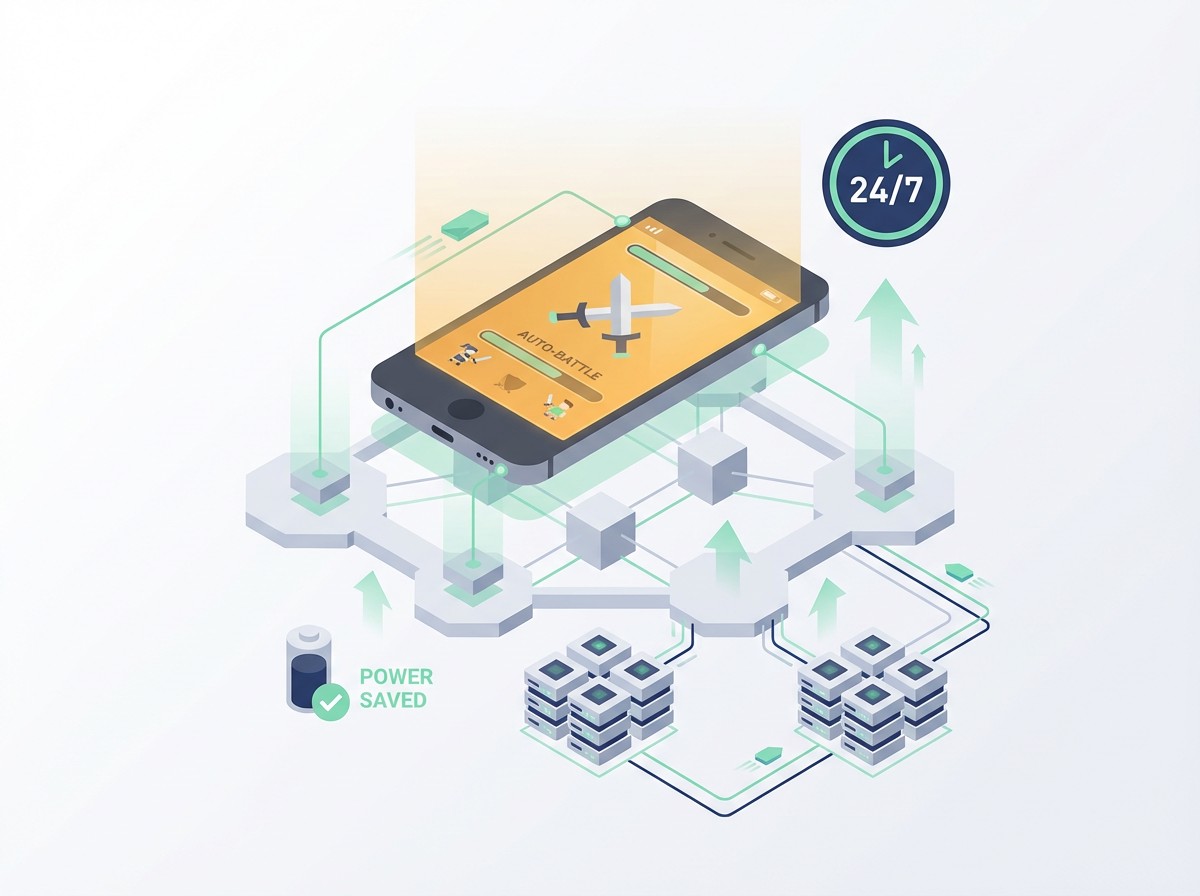
How to Farm Limbus Company EXP Luxcavations 24/7 with FoxPhone: 3 Methods That Work
If you've been playing Limbus Company, you know the EXP grind is brutal. Each EXP Luxcavation run takes 5-8 minutes depending on your team setup, and you need hundreds of runs to level your sinners for harder content. The problem? Keeping your phone plugged in for 6+ hours daily destroys your battery, and you can't use your device for anything else.
This is exactly where FoxPhone makes a difference. Instead of burning through your phone's battery or buying a dedicated farming device, you can run Limbus Company on FoxPhone's cloud instances that operate 24/7 without touching your actual hardware.
Let me break down how Limbus Company's progression system creates this grinding problem, then show you three specific methods to automate it using FoxPhone.
Why Limbus Company Demands Constant Grinding
Limbus Company's progression revolves around Enkephalin—the stamina system that regenerates at 1 point per 6 minutes, capping at 20 naturally (or higher with the Battle Pass). Each EXP Luxcavation costs 10 Enkephalin, meaning you get exactly 2 runs every 2 hours if you're at zero.
The math gets ugly fast. To level one sinner from 30 to 40 requires approximately 180,000 EXP. A single EXP Luxcavation 3 run drops around 2,400-3,000 EXP depending on your team. That's roughly 70 runs per sinner, or 700 Enkephalin total. With natural regeneration, that's 70 hours of waiting—nearly 3 days per character.
Project Moon designed the game for slow progression, but the Mirror Dungeon endgame and Railway content demands multiple leveled teams. You need at least 12 fully built sinners for diverse encounters, which means hundreds of grinding hours. Running this on your regular phone means:
- Battery degradation: Keeping your phone plugged in for extended gaming sessions reduces battery health by 15-20% annually
- Device heat: Limbus Company uses Unity engine, which generates significant heat during auto-battles
- Opportunity cost: Your phone is locked during farming sessions—no calls, messages, or other apps
Most players try leaving their phone plugged in overnight with auto-battle enabled. This works until your battery health drops to 80% capacity after 6 months, or your phone overheats and throttles performance, making runs take 10+ minutes instead of 6.
Traditional Solutions (And Why They Fall Short)
Some players buy a cheap secondary Android device just for gacha grinding. A $150 budget phone handles Limbus Company fine, but now you're paying for the device, dealing with another charger, and still consuming electricity. If you run it 8 hours daily, that's roughly $2-4 in monthly electricity costs depending on your region, plus the upfront hardware investment.
Android emulators like BlueStacks or LDPlayer seem like better options—use your PC's power instead. But Limbus Company runs poorly on most emulators due to Unity engine optimization issues. Frame drops during battles can cause auto-battle AI to mistime skills, leading to failed runs. Plus, your gaming PC draws 300-500 watts under load. Running that for grinding sessions costs $15-25 monthly in electricity.
The bigger issue? Neither solution gives you true mobility. You're still tied to a specific device or location.
This is where FoxPhone's cloud infrastructure changes the equation entirely.
How FoxPhone Solves the Limbus Company Grinding Problem
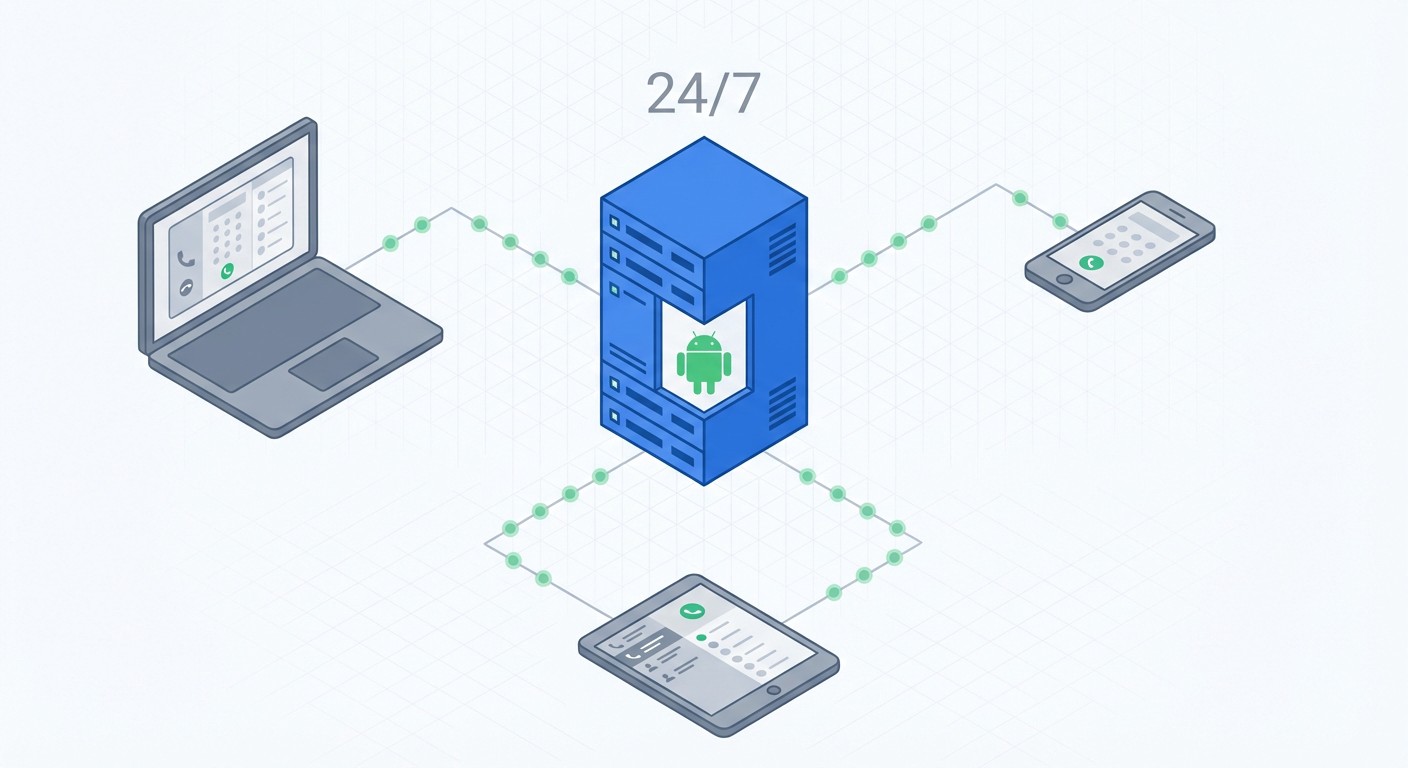
FoxPhone runs full Android instances on remote servers with ARM architecture—the same processor type your phone uses. This means Limbus Company runs natively without emulator compatibility issues. The game client can't tell the difference between FoxPhone and a physical Android device.
Here's what matters for Limbus Company specifically:
- 24/7 uptime without battery wear: FoxPhone instances stay online continuously. You can start an EXP Luxcavation grind session, close your laptop, and check back 8 hours later to find 80+ runs completed. Your actual phone never touches the game, so your battery health stays intact.
- Separate device IDs for multiple accounts: Some Limbus Company players run alt accounts to test different team compositions or maintain extra resources. FoxPhone gives each instance a unique device ID, so you can manage 2-3 accounts without device-switching hassles. The game sees each instance as a completely different Android phone.
- Cloud storage eliminates space concerns: Limbus Company requires 3.5GB+ storage after updates. FoxPhone's cloud storage means you're not sacrificing space on your actual device. You can run Limbus Company alongside other games on separate FoxPhone instances without storage juggling.
- Access from any device: Check your grinding progress from your work computer's browser, your tablet, or even your phone. FoxPhone's interface works anywhere with internet, so you can quickly burn Enkephalin during lunch breaks without having your gaming phone.
The real advantage shows up in cost analysis. FoxPhone starts at $10-15 monthly for a basic instance that handles gacha games perfectly. Compare that to:
- Budget grinding phone: $150 upfront + $3 monthly electricity = $186 first year
- PC emulator grinding: $20-30 monthly electricity = $240-360 yearly
- FoxPhone: $120-180 yearly with zero hardware wear
You're saving $60-180 annually while gaining remote access and eliminating battery degradation.
Setting Up Limbus Company on FoxPhone
Here's how to configure FoxPhone specifically for Limbus Company farming:
Step 1: Create your FoxPhone instance
Log into the FoxPhone dashboard and launch a new Android instance. For Limbus Company, I recommend Android 10 or 11 with at least 4GB RAM allocated. The game runs on lower specs, but more RAM prevents crashes during extended auto-battle sessions.
Step 2: Install Limbus Company
Open the Google Play Store in your FoxPhone instance and download Limbus Company normally. The initial 3.5GB download takes 10-15 minutes depending on server load. Make sure to log in with your Project Moon account credentials or bind your account if you're transferring from your phone.
Step 3: Configure in-game settings
Launch Limbus Company on FoxPhone and adjust these settings for optimal grinding:
- Graphics: Set to Low (reduces server load, doesn't affect EXP drops)
- Auto-battle speed: Max (2x)
- Battle animation: Minimal
- Enable auto-retry on failure
Step 4: Set up your EXP farming team
Create a team specifically for EXP Luxcavations. The enemies have predictable Sin resistances, so optimize for speed. A typical setup uses:
- 2-3 AOE damage dealers (W Corp Ryoshu, Blade Lineage Sinclair)
- 2 support units for buffs
- 1 tank to absorb opening attacks
Step 5: Enable FoxPhone's keep-alive features
In the FoxPhone dashboard, enable "Prevent Sleep" for your instance. This ensures Android doesn't kill the Limbus Company app during long grinding sessions. Also enable "Auto-restart on crash" if available—Unity engine games occasionally crash during 8+ hour sessions.
Step 6: Start your grinding session
Enter EXP Luxcavation 3, enable auto-battle, and minimize the FoxPhone window. The instance continues running on the server. Check back periodically to spend accumulated Enkephalin, or set calendar reminders every 3-4 hours if you want to maximize efficiency.
With FoxPhone, you can start a grinding session before work, let it run all day, and come home to 15-20 completed runs without touching your phone once.
Three Specific FoxPhone Methods for Limbus Company
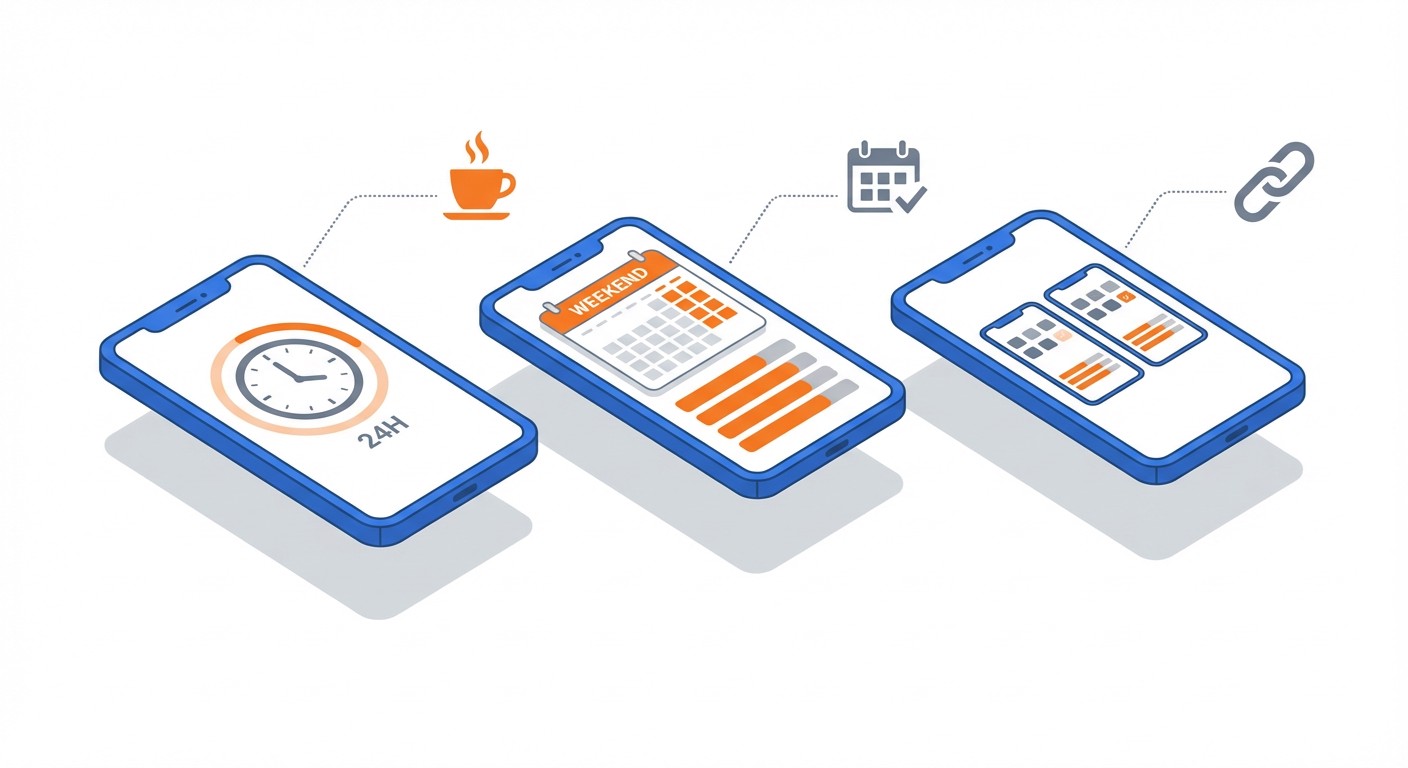
Method 1: Daily Passive Farming
Let FoxPhone run Limbus Company in the background all day using natural Enkephalin regeneration. You get 240 Enkephalin daily from natural regen (1 per 6 minutes). That's 24 EXP Luxcavation runs, or roughly 60,000-72,000 EXP daily with zero active input.
Set up your farming team in the morning, enable auto-battle, and check your FoxPhone instance once during lunch and once after work to restart runs. This method requires maybe 5 minutes total daily attention but delivers consistent progression.
Method 2: Weekend Marathon Sessions
Use FoxPhone for intensive grinding on weekends when you have Enkephalin saved up. If you've been capping your natural Enkephalin during the week (letting it waste because you're busy), use weekends to burn through 100+ stored Enkephalin on FoxPhone.
Start Saturday morning, configure your team, and let FoxPhone run for 12-16 hours straight. You can do literally anything else—go out, run errands, spend time with family—while your FoxPhone instance grinds EXP. One weekend marathon session can level 2-3 sinners from 30 to 40.
Method 3: Multi-Account Resource Coordination
Run 2-3 Limbus Company accounts on separate FoxPhone instances if you want to stockpile resources or test different team strategies. Each FoxPhone instance has its own device ID, so the game treats them as completely separate devices.
This works well for players who want a "main" account for serious progression and an "experimental" account for testing teams before committing resources. You can grind EXP on both simultaneously—something impossible with a single phone.
Real-World Cost Comparison: Regular Phone vs FoxPhone
Let's calculate actual costs for grinding Limbus Company 6 hours daily over one year.
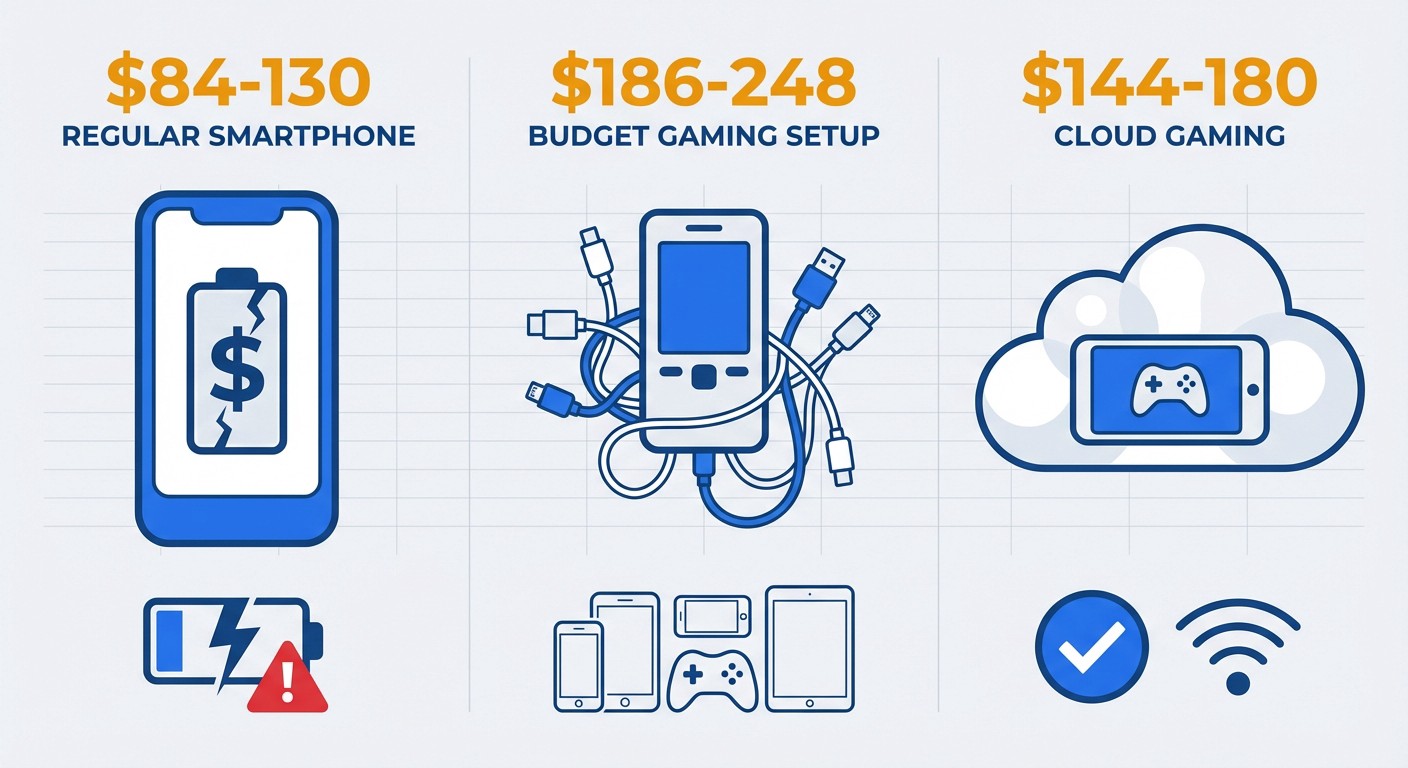
Regular Phone Method:
- Battery replacement after 8-10 months: $60-80 (iPhone) or $40-50 (Android)
- Electricity cost (phone charging 6hrs daily): ~$2-3 monthly = $24-36 yearly
- Opportunity cost: Can't use phone during grinding (unquantifiable)
- Total first year: $84-130
Dedicated Budget Phone:
- Device purchase: $150-200
- Electricity cost: $3-4 monthly = $36-48 yearly
- Total first year: $186-248
FoxPhone Method:
- FoxPhone subscription: $12-15 monthly = $144-180 yearly
- No hardware wear
- Access from any device
- Run multiple instances if needed
- Total first year: $144-180
FoxPhone costs roughly the same as the budget phone method but eliminates hardware concerns entirely. You're not maintaining an extra device, dealing with another charger, or losing desk space to a grinding phone. More importantly, you can check progress from literally anywhere—your work computer during lunch, your tablet while traveling, or your phone while waiting for appointments.
The time savings matter even more. Checking your phone every 2 hours to restart Luxcavation runs takes 2-3 minutes per check. That's 6-9 checks daily if you're maximizing Enkephalin efficiency. With FoxPhone, you check once in the morning to start, once during lunch, and once before bed. You're saving 15-20 minutes daily, which adds up to 90-120 hours yearly.
What FoxPhone Can't Fix
FoxPhone isn't magic—there are specific situations where your regular phone works better:
Mirror Dungeon runs:
Mirror Dungeon requires active decision-making every few minutes (choosing paths, selecting EGO gifts, building your team). FoxPhone works fine for this, but you're still actively playing, so there's no advantage over using your phone. The benefit only appears for repetitive auto-battle content like Luxcavations.
Story content:
New story chapters need your attention for dialogue and cutscenes. Use your regular phone here—FoxPhone's value is grinding automation, not story progression.
Latency-sensitive content:
If you're attempting difficult Railway content that requires precise skill timing, input lag from cloud streaming can hurt. FoxPhone uses your internet connection, so streaming latency (typically 30-100ms) might cause mistimed skill activations. For challenging content where every turn matters, your local phone gives you zero-latency control.
Initial account setup:
Setting up a new Limbus Company account requires going through tutorials, which takes 30-45 minutes of active play. Do this on your regular phone first, then transfer to FoxPhone for grinding afterward. It's just more convenient to do tutorial taps on a device in your hand.
FoxPhone excels at the repetitive, time-consuming parts of Limbus Company—specifically the EXP grind and daily farming. For everything else, your regular phone works perfectly fine.
Managing Multiple Limbus Company Accounts on FoxPhone
If you run multiple Limbus Company accounts, FoxPhone's multi-instance capability becomes incredibly valuable. Each FoxPhone instance gets separate device identification, so you can manage 2-3 accounts without constantly logging in and out.
Here's a practical setup: Run your main account on FoxPhone Instance 1 for serious progression. Use Instance 2 for an alt account where you test risky team compositions or different EGO investment strategies. Each instance grinds independently, using different Enkephalin pools.
This matters because Limbus Company has limited resources for skill upgrades and EGO acquisitions. Testing strategies on an alt before committing resources on your main account prevents costly mistakes. With FoxPhone, both accounts progress simultaneously without device-switching hassles.
Just remember that each FoxPhone instance requires a separate subscription. If you run 2 instances, you're paying $24-30 monthly. That's still cheaper than buying two phones ($300-400), but factor it into your decision.
FAQ
Does FoxPhone work with the Steam version of Limbus Company?
No, FoxPhone runs Android instances, so you'll use the mobile version from Google Play Store. However, Limbus Company supports cross-save between mobile and Steam. You can grind EXP on FoxPhone's mobile version, then switch to Steam on your PC for story content or challenging battles. Your progress syncs automatically through your Project Moon account.
Will Project Moon ban my account for using FoxPhone?
FoxPhone runs legitimate Android instances with real device IDs—it's functionally identical to playing on a regular Android phone. Project Moon's terms of service prohibit emulators with macro scripts or automated input injection. FoxPhone doesn't inject inputs; you're playing normally, just on a cloud device. The game client can't distinguish FoxPhone from a physical phone. Thousands of gacha players use cloud phones for grinding without issues.
How much FoxPhone storage does Limbus Company need?
Limbus Company requires 3.5-4GB after installation and initial updates. FoxPhone's basic instances typically include 32-64GB storage, which is plenty for Limbus Company plus several other gacha games. If you're running just Limbus Company, storage won't be a concern.
Conclusion: Is FoxPhone Worth It for Limbus Company?
If you're playing Limbus Company seriously—pushing through Railway content, building multiple team compositions, and leveling 12+ sinners—the EXP grind becomes unavoidable. You can either sacrifice your phone's battery health and 6+ hours of daily device access, or invest in FoxPhone's 24/7 cloud solution.
FoxPhone makes sense when you value your time and device longevity. The cost roughly matches buying a dedicated grinding phone, but you gain remote access, eliminate hardware wear, and can manage multiple accounts if needed. You're essentially paying $12-15 monthly to never think about EXP grinding again—it just happens in the background while you live your life.
The alternative is checking your phone every 2 hours, keeping it plugged in constantly, and replacing your battery annually. FoxPhone's advantage isn't revolutionary technology; it's practical convenience for a game that demands hundreds of grinding hours.
Ready to stop babysitting your Limbus Company EXP grind? Try FoxPhone free for 3 days and run your first 24-hour Luxcavation marathon without touching your phone once. Your battery will thank you.

 How to Complete Free Fire Missions 24/7 with FoxPhone: 3 Methods That Actually Work
How to Complete Free Fire Missions 24/7 with FoxPhone: 3 Methods That Actually Work
 How to Complete Free Fire Missions 24/7 with FoxPhone: 3 Methods That Actually Work
How to Complete Free Fire Missions 24/7 with FoxPhone: 3 Methods That Actually Work
 How to Run Township Production Chains 24/7 with FoxPhone: Complete Automation Guide
How to Run Township Production Chains 24/7 with FoxPhone: Complete Automation Guide


© 2026 Foxphone LLC. All rights reserved.


 Cookie Notice